
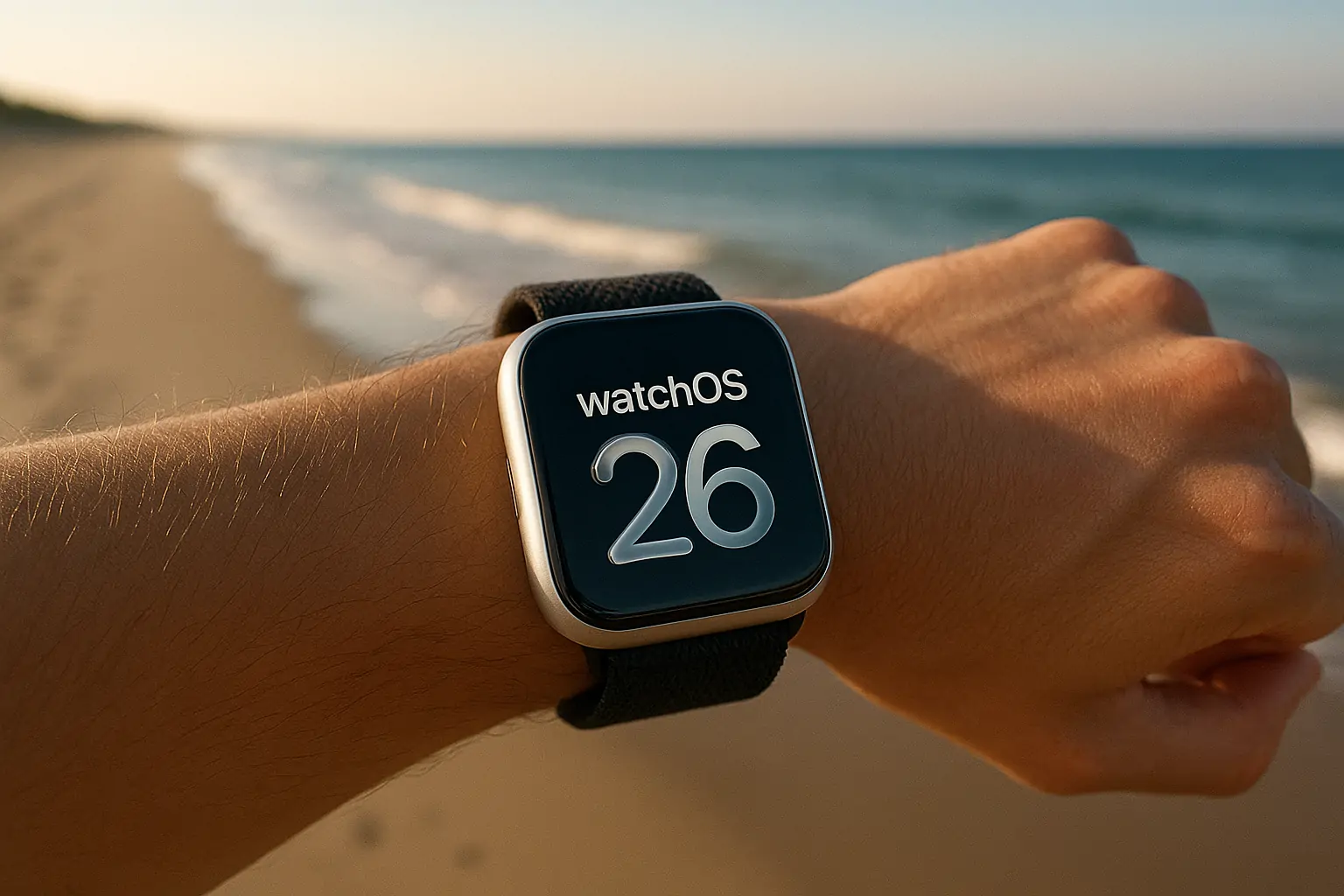
watchOS 26 builds on everything users love about Apple Watch with a refreshed design, smarter health features, and more seamless interactions. From motivational workouts powered by Apple Intelligence to real-time translations on the wrist, this update delivers a more personalized, connected, and visually dynamic experience. At the heart of it all is a beautiful redesign that makes apps, widgets, and notifications more expressive than ever — while keeping daily health, communication, and convenience front and center.
A More Expressive Design with Liquid Glass
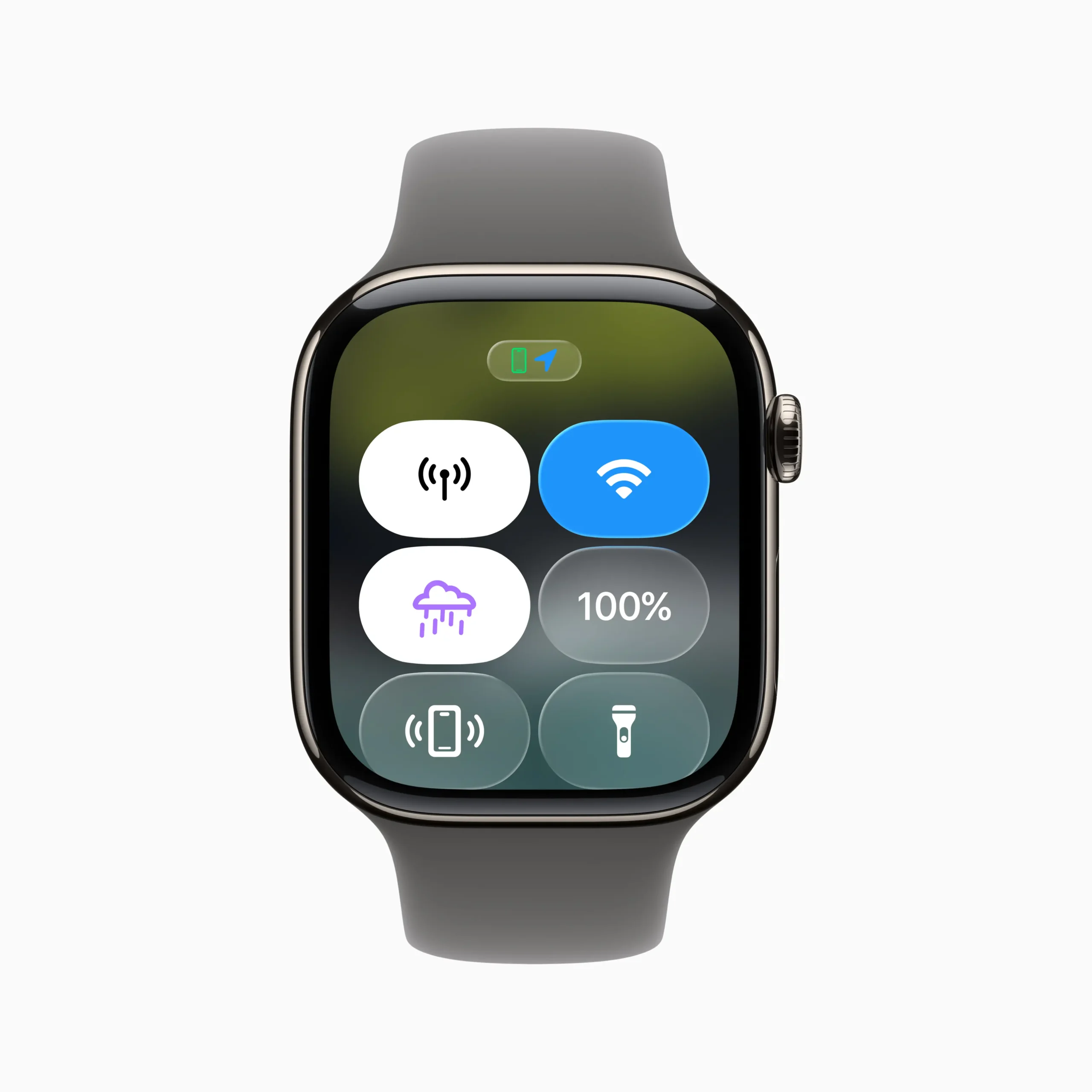
watchOS 26 introduces a striking new design language across the Apple Watch interface, powered by Liquid Glass — Apple’s real-time rendered material that subtly reflects and refracts on-screen content. Already seen in tvOS and other Apple platforms, Liquid Glass is now adapted for the smaller, wrist-sized display, adding dimension and depth without overwhelming the interface. The result is an interface that feels richer, more fluid, and more focused on what matters.
You’ll see this elegant new design in everything from Control Center to the Smart Stack, notifications, and in-app menus. Buttons and UI elements adopt soft curves and layered transparency, dynamically adapting to the content beneath. The effect is particularly noticeable when switching between apps, navigating widgets, or swiping through the Smart Stack — everything feels more tactile and responsive.
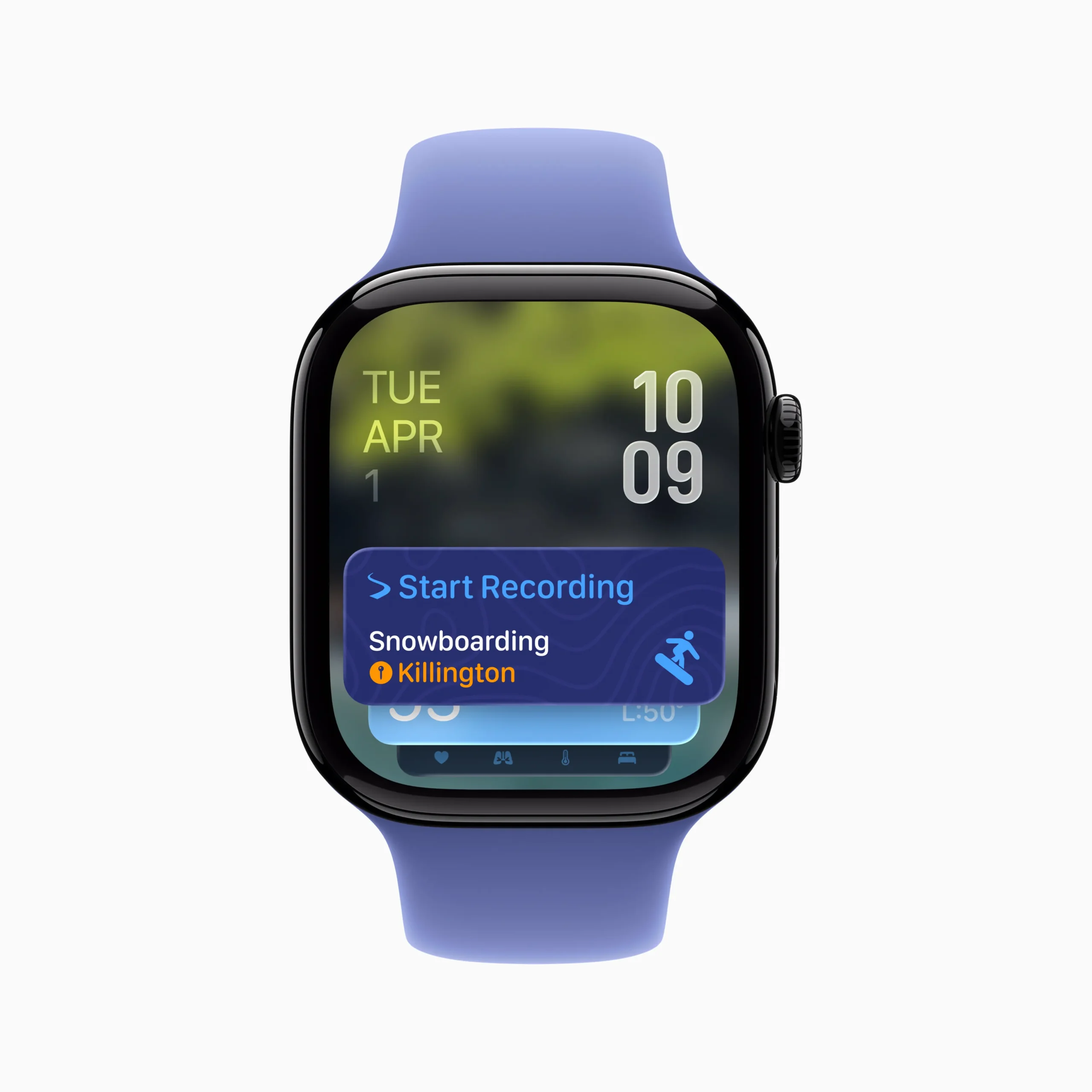
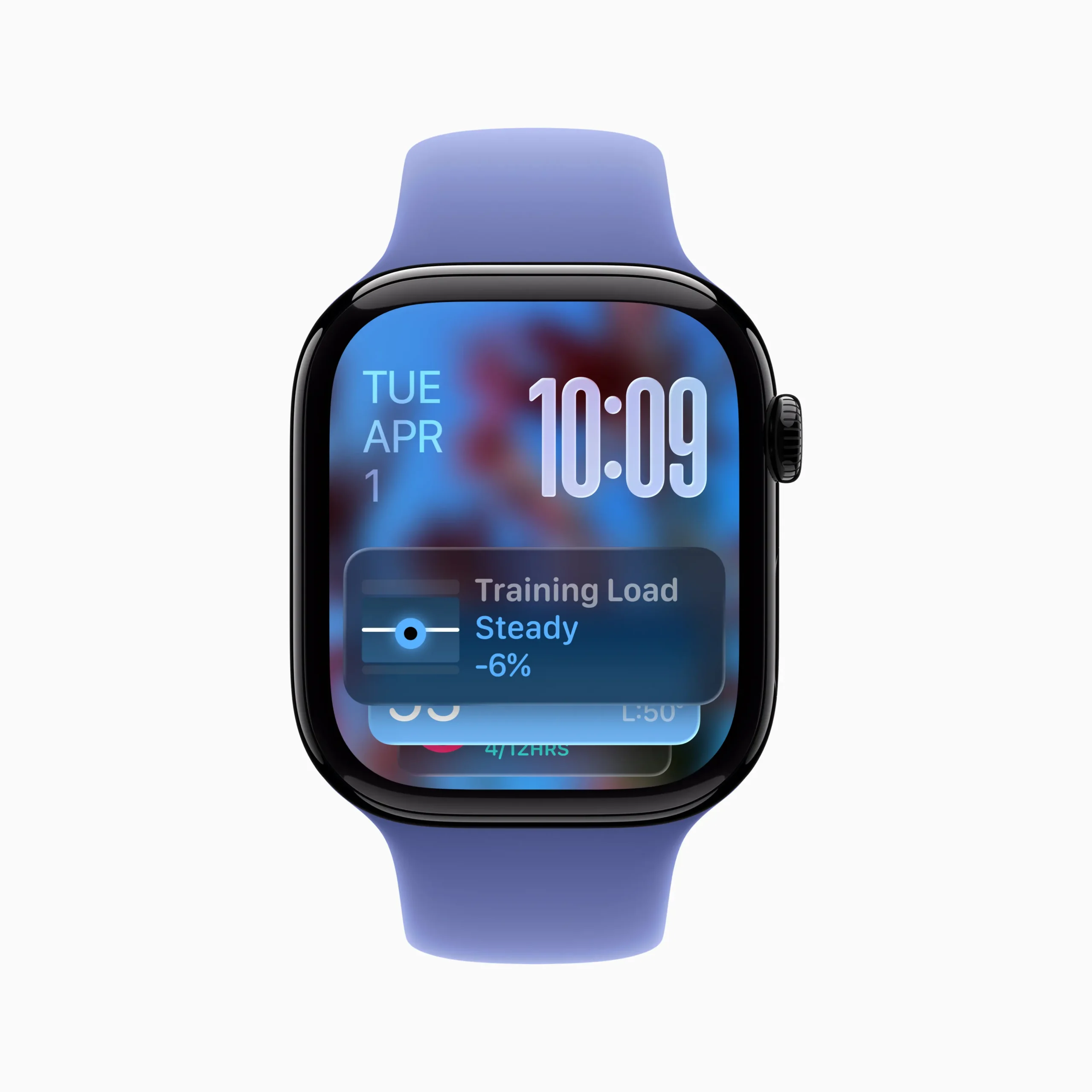
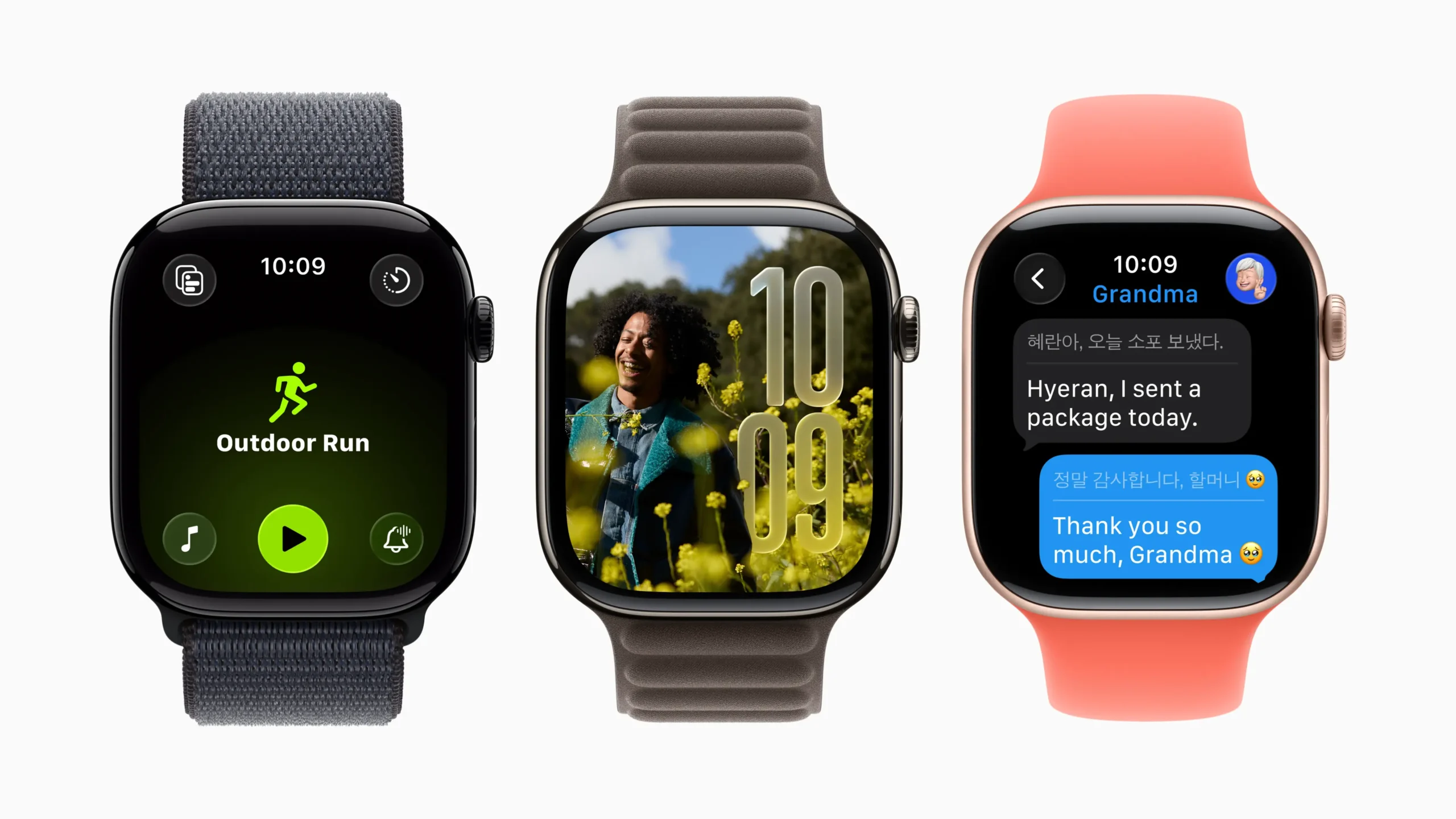
Apple also brings the Liquid Glass aesthetic to the Photos watch face, where numerals now appear with a translucent sheen that blends into the image beneath, giving the entire watch face a more harmonious and polished look. Every time the display is raised or tapped, there’s a subtle glint or ripple — not for show, but to maintain clarity while enhancing depth perception on the small screen.
For developers, the new SwiftUI APIs included in the watchOS 26 SDK allow for easy adoption of these Liquid Glass effects, making it possible to bring native visual consistency to third-party apps. It’s a step forward in making watchOS not just smarter, but more beautiful — and it sets the tone for an Apple Watch experience that feels more alive with every interaction.
Workout Buddy: Smarter Fitness with Apple Intelligence
watchOS 26 introduces Workout Buddy, a new Apple Intelligence-powered experience that transforms how users stay motivated during workouts. This virtual fitness companion uses on-device intelligence to deliver spoken insights that are personalized, private, and context-aware — making every workout session feel more engaging and supportive.
Workout Buddy analyzes a user’s fitness history — including factors like heart rate, pace, distance, Activity rings, and personal milestones — to generate relevant, encouraging commentary throughout the session. As users begin a workout, Workout Buddy might offer a friendly motivational introduction referencing recent activity or ring progress, helping set the tone and goal for the workout.
During exercise, the system highlights key performance moments, such as improved pace or distance milestones. For example, users will hear insights like “average pace was 8 minutes and 58 seconds,” or “average heart rate was 128,” spoken aloud to offer motivation and awareness without needing to check the screen. When users cross personal thresholds — such as their longest run in the last month or a new total distance milestone — Workout Buddy will acknowledge these achievements in real time.
At the end of a session, Workout Buddy delivers a spoken recap, summarizing workout stats like total distance, duration, pace, and notable achievements. As Apple describes, “You went 4.3 miles in just over 38 minutes. Your average pace was 8 minutes and 58 seconds, and your average heart rate was 128.” These spoken summaries help users track their progress and feel accomplished immediately after the workout.
Workout Buddy uses Apple Intelligence entirely on-device for privacy. It supports Bluetooth headphones, works in English to start, and covers a range of activities including Outdoor and Indoor Run, Walk, Cycle, HIIT, and Strength Training. With voice modeled after Apple Fitness+ trainers, it brings the right tone, energy, and clarity to support every user’s fitness journey.
A More Intelligent and Motivating Workout App
watchOS 26 delivers the most significant redesign of the Workout app since its debut, putting more power, personalization, and inspiration into every session. Building on the foundation of Workout Buddy, the app now features a completely refreshed layout that simplifies access to key features through four corner buttons. With just a tap, users can quickly access Workout Views, Custom Workouts, Pacer, Race Route, and more — making it easier than ever to personalize workouts on the fly.
The interface has been thoughtfully restructured to keep everything intuitive and accessible while in motion. Whether you’re switching views during a run or adjusting pacing goals before a strength session, the new layout makes it seamless to stay in control without interrupting momentum.
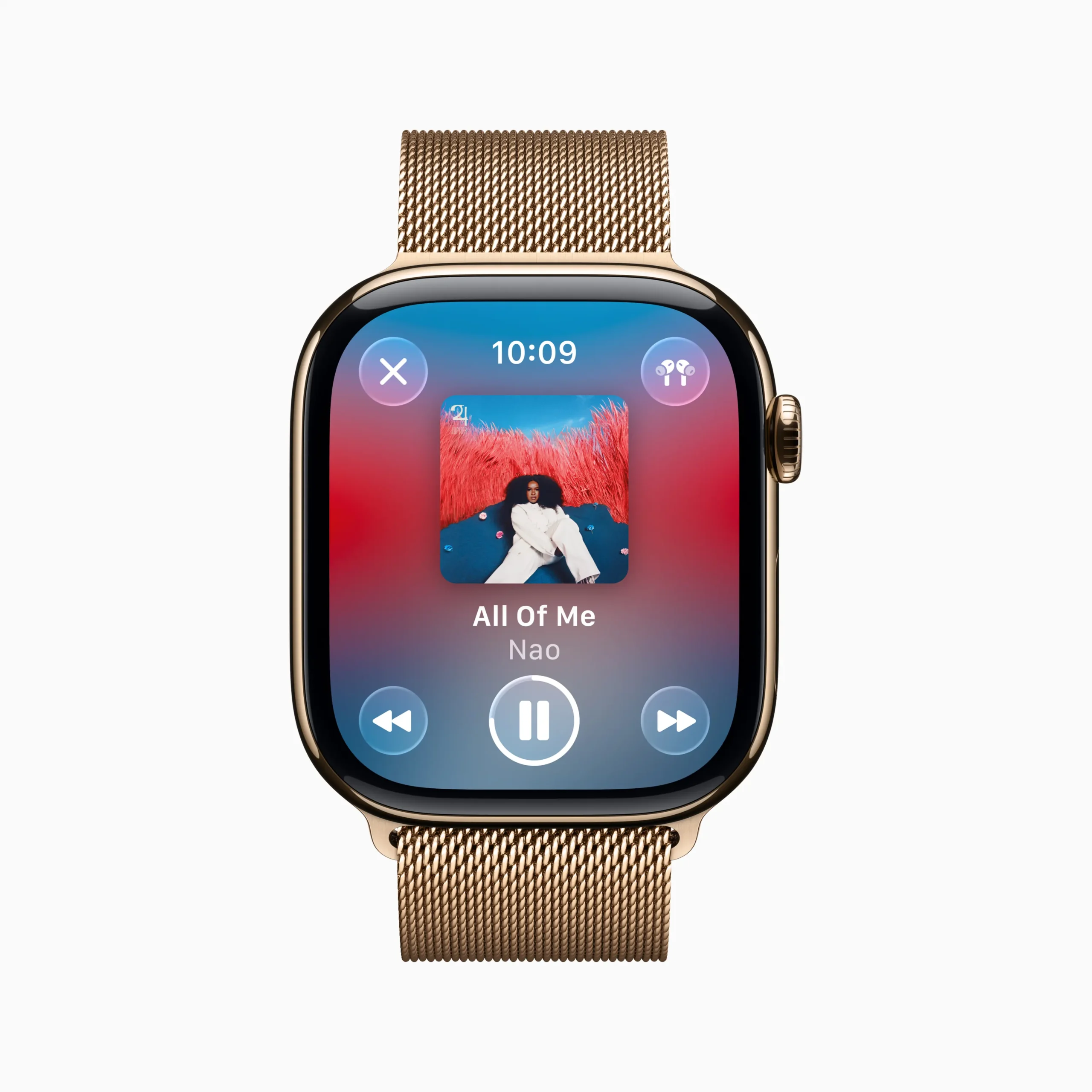
Apple also brings music deeper into the workout experience. In watchOS 26, users can now set their favorite playlists or podcasts to start automatically with specific workout types — no more fumbling with audio settings mid-exercise. Apple Music goes a step further with new intelligence that suggests the best music based on a user’s preferences and workout history. For example, an upbeat playlist might be suggested before a run, or a calming podcast might appear for a cooldown walk.
This seamless audio integration turns the Workout app into a hub not just for metrics, but also for motivation. Whether it’s pushing harder with high-energy tracks or zoning into a rhythm, the synergy between movement and music is now more personal and hands-free than ever.
With these enhancements, the Workout app doesn’t just track activity — it elevates the entire experience, blending personalized guidance, intuitive design, and contextual inspiration into a smarter workout companion.
Smart Stack Gets More Contextual and Helpful
watchOS 26 enhances one of the Apple Watch’s most useful features — the Smart Stack — by making it more intelligent, more proactive, and more visually immersive. Now powered by richer contextual awareness and Liquid Glass design, Smart Stack becomes an even more seamless part of everyday routines.
At a glance, users will notice the new Smart Stack hints, subtle visual cues made of Liquid Glass that guide users to relevant widgets and suggested actions. These hints are based on contextual inputs like location, time of day, sensor data, and personal usage patterns. For instance, a Backtrack suggestion may appear if a user is hiking in a remote area with no connectivity, while a prompt for a Pilates workout might show up right as they arrive at their usual studio time.
The overall experience feels more alive and personalized — widgets dynamically surface and rotate based on need, and the real-time rendering of Liquid Glass gives them a glowing, responsive look that subtly reflects the user’s content and surroundings. This brings not only a visual refresh, but a new sense of anticipation to everyday watch interactions.
Developers now have more tools to tap into this ecosystem, thanks to the new Smart Stack Relevance API. This allows third-party widgets to surface based on Points of Interest and other real-world signals (with user permission). For example, Slopes might show a snow condition widget when arriving at a ski resort, or Dark Noise can present a sleep sound toggle when bedtime approaches.
As Apple continues to extend personalization across its platforms, Smart Stack in watchOS 26 stands out as a subtle yet powerful evolution — anticipating needs, streamlining interactions, and putting the right information at the right time on the user’s wrist.
Wrist Flick Makes Notifications Effortless
watchOS 26 introduces a thoughtful new gesture that makes interacting with notifications even more seamless — wrist flick. Designed for times when one hand is occupied, this new one-handed motion lets users dismiss alerts and calls with a quick, natural movement of the wrist: simply turn the wrist away and back again.
Using the accelerometer, gyroscope, and a dedicated machine learning model, Apple Watch detects the gesture accurately and applies it to key interactions. Users can now dismiss incoming calls, silence timers or alarms, and clear notifications — all without touching the screen or using the Digital Crown. This functionality is available on Apple Watch Series 9, Series 10, and Apple Watch Ultra 2, adding to the growing set of accessibility-forward features like double tap, which allows users to perform common tasks with a pinch gesture.
In daily life, wrist flick proves especially useful: silencing a morning alarm while holding a cup of coffee, dismissing a message while walking the dog, or ending a call without interrupting a conversation. It’s another step in Apple’s ongoing effort to make Apple Watch interactions more natural and context-aware.
In addition, Apple Watch can now intelligently adjust audio volume for notifications, alarms, and Siri based on ambient sound levels. Whether in a quiet library or a noisy gym, watchOS 26 ensures alerts are heard clearly when needed — and stay discreet when they’re not.
By blending intelligent sensors with gesture recognition, watchOS 26 elevates the Apple Watch experience, keeping users connected while respecting their environment and daily rhythms.
Messaging on Apple Watch Gets Smarter and More Expressive
watchOS 26 brings significant improvements to messaging, combining Apple Intelligence with design refinements to make communication on the wrist smarter, faster, and more personal. At the heart of the upgrade is Live Translation, a new feature that enables automatic translation of incoming texts into the user’s preferred language, right from the Messages app on Apple Watch.
This works both ways — when replying, users can choose to have their message translated instantly for the recipient. Whether coordinating travel or chatting with friends in other languages, conversations stay fluid and intuitive. Live Translation is supported on Apple Watch Series 9, Series 10, and Apple Watch Ultra 2 when paired with a compatible iPhone.
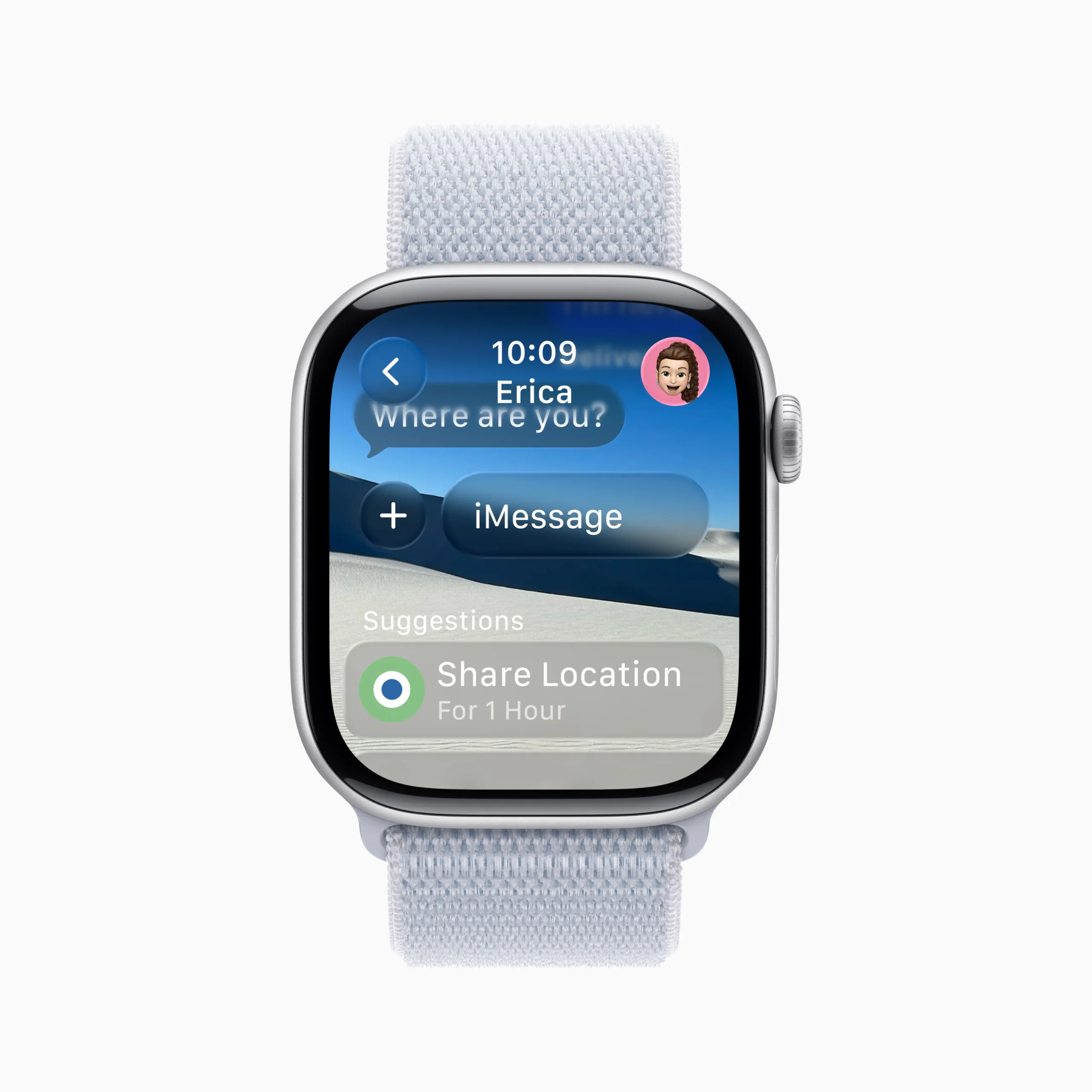
watchOS 26 also introduces contextual smart suggestions, which analyze the conversation to suggest timely actions. For example, if a friend asks you to share your ETA, Apple Watch may suggest starting a Check In, or recommend Apple Cash if someone mentions splitting a bill. These features are currently available to users whose device language is set to English and rely on improved on-device language understanding.
Messages also get a visual refresh: Custom Backgrounds, previously set on iPhone, now appear on Apple Watch, making conversations feel more distinct and personalized. Polls can now be answered directly from the wrist, making it easy to participate in group chats without reaching for your phone.
Lastly, Smart Replies have been enhanced with a more advanced language model, offering more relevant response suggestions based on the context of the conversation. These upgrades collectively transform Messages into a more powerful communication tool, giving users expressive control and practical features — all from the convenience of their watch.
Even More Useful Features in Everyday Moments
Beyond the headline upgrades, watchOS 26 includes a range of thoughtful enhancements that elevate everyday tasks, accessibility, and personalization on Apple Watch. These features reflect Apple’s continued focus on making the device more indispensable for more people — whether it’s jotting a note, managing calls, or enjoying favorite memories right from the wrist.
Notes App Comes to Apple Watch
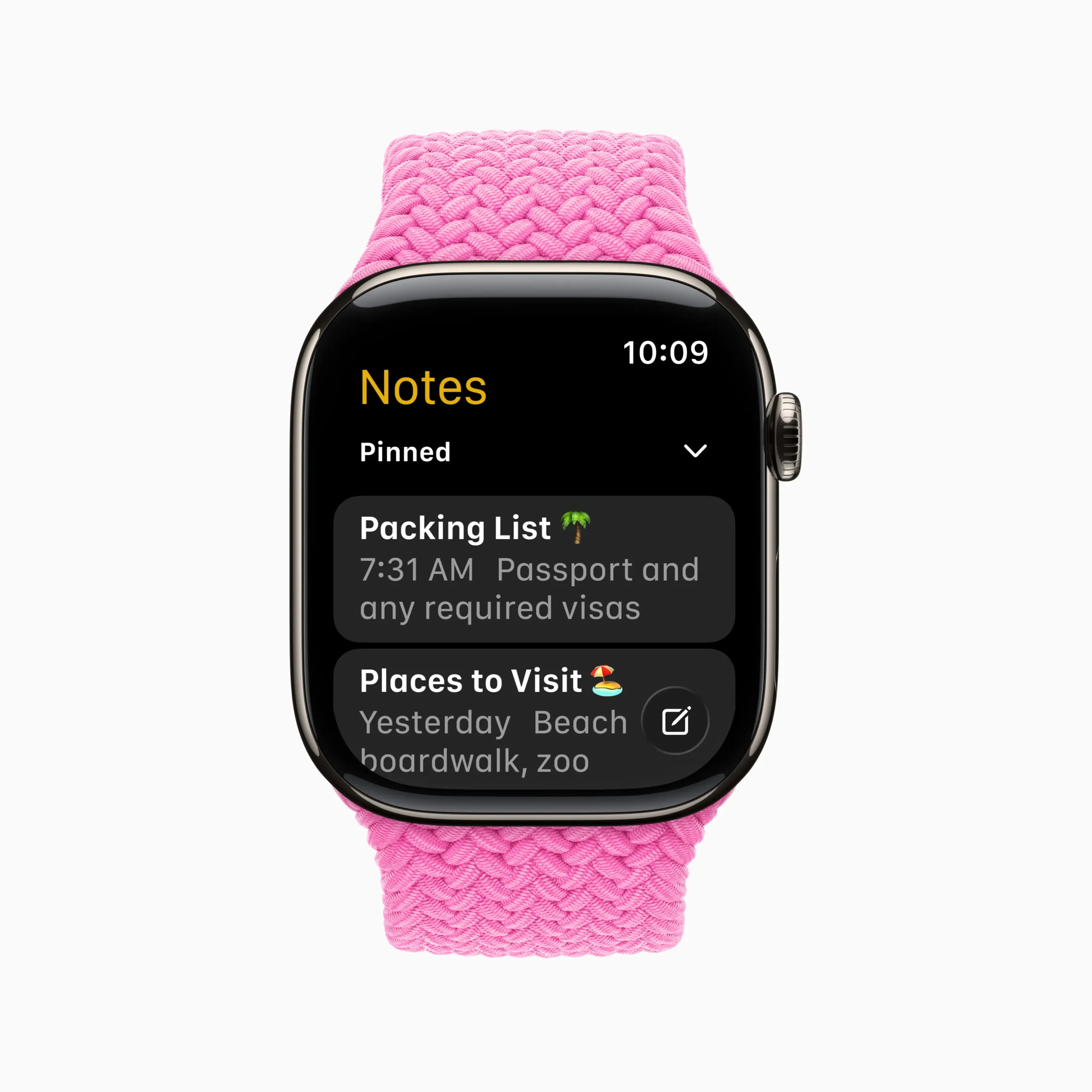
For the first time, the Notes app is now available directly on Apple Watch. Users can view, pin, unlock, and create notes without needing their iPhone nearby. Whether it’s a grocery list, a quick reminder, or a checklist, everything syncs seamlessly via iCloud.
Creating notes is simple with the help of Siri, dictation, or the on-screen keyboard. Users can check off list items as they go, and securely access private notes with Face ID or passcode authentication shared through the iPhone. This addition transforms the Apple Watch into a more capable companion for capturing and reviewing information on the go.
Photos Face and Gallery Get Smarter
The beloved Photos watch face becomes more dynamic in watchOS 26. It now features automatic rotation of Featured Photos curated from the user’s library, ensuring that cherished memories surface every time the wrist is raised or tapped.
To further enhance personalization, the Watch Face Gallery has been redesigned both on Apple Watch and in the Watch app on iPhone. Faces are now grouped into curated collections, making it easier to discover new styles, themes, and functional layouts. Whether for expression or utility, the new gallery makes Apple Watch customization more intuitive and rewarding.
Phone App Gains Hold Assist and Call Screening
New to the Phone app are Hold Assist and Call Screening — tools that make phone interactions more intelligent and efficient when an iPhone is nearby. Hold Assist listens in during call center hold times and alerts the user when a live agent is finally available, removing the need to wait in silence.
Meanwhile, Call Screening adds a layer of clarity for incoming calls from unknown numbers. Before the phone rings, the watch can display the caller’s name and their reason for calling, giving users more control over whether to answer, decline, or ask for more details.
Live Listen and Captions Support Accessibility
watchOS 26 enhances support for users who are deaf or hard of hearing with new Live Listen controls on Apple Watch. When paired with an iPhone, the watch can serve as a remote for initiating or stopping Live Listen sessions. If a user misses part of a conversation, they can jump back in with ease.
Even more impressively, real-time Live Captions now appear on the watch, displaying transcriptions of what the iPhone hears. This level of accessibility brings Apple’s hallmark inclusivity to even more users in everyday social or noisy environments.
New Tools and APIs Empower watchOS Developers
With watchOS 26, Apple continues to enhance its development ecosystem, giving developers new ways to design rich, responsive, and beautifully integrated experiences on Apple Watch. These updates reflect Apple’s broader platform strategy: building more intelligent, context-aware apps while maintaining a strong emphasis on performance, privacy, and visual cohesion.
Design and Control Integration with New APIs
Developers can now adopt the expressive Liquid Glass aesthetic introduced in watchOS 26 through updated SwiftUI APIs. These allow for dynamic, depth-aware interfaces that harmonize with the system’s real-time rendering engine. This means third-party apps can now match the sleek look and feel of native UI elements, bringing consistency across the platform.
A key addition is the Control Widget API, enabling developers to create custom controls that users can place in the Control Center, Action Button, or Smart Stack. This level of integration means actions like launching a sleep soundscape, starting a workout, or toggling a feature no longer require opening a full app — everything is instantly accessible from the wrist.
Together, these developer tools are designed to help creators craft experiences that feel proactive, beautiful, and seamlessly embedded in daily life — the very principles that define Apple Watch as a platform.
watch OS 26 Brings A Smarter, More Personal Future to Your Wrist
watchOS 26 is more than just a visual refresh — it represents a meaningful step forward in how Apple Watch supports your daily life. From the expressive Liquid Glass interface to real-time motivation in workouts, smarter messaging, and contextual nudges through the Smart Stack, every update is designed to feel natural, helpful, and seamlessly integrated. Apple Intelligence doesn’t just make features more capable — it makes the Apple Watch feel more in sync with its wearer.
With tools like Workout Buddy, Live Translation, wrist gestures, and Call Screening, Apple Watch continues to mature into a personal companion that adapts to your needs — whether you’re pushing through a workout, managing your day, or simply staying in touch. And with new developer APIs and customizations, watchOS 26 opens the door for third-party apps to participate in this intelligence-driven evolution.
Together, these updates reinforce Apple Watch as a central part of Apple’s ecosystem — one that’s always close, always aware, and now, smarter than ever.
