
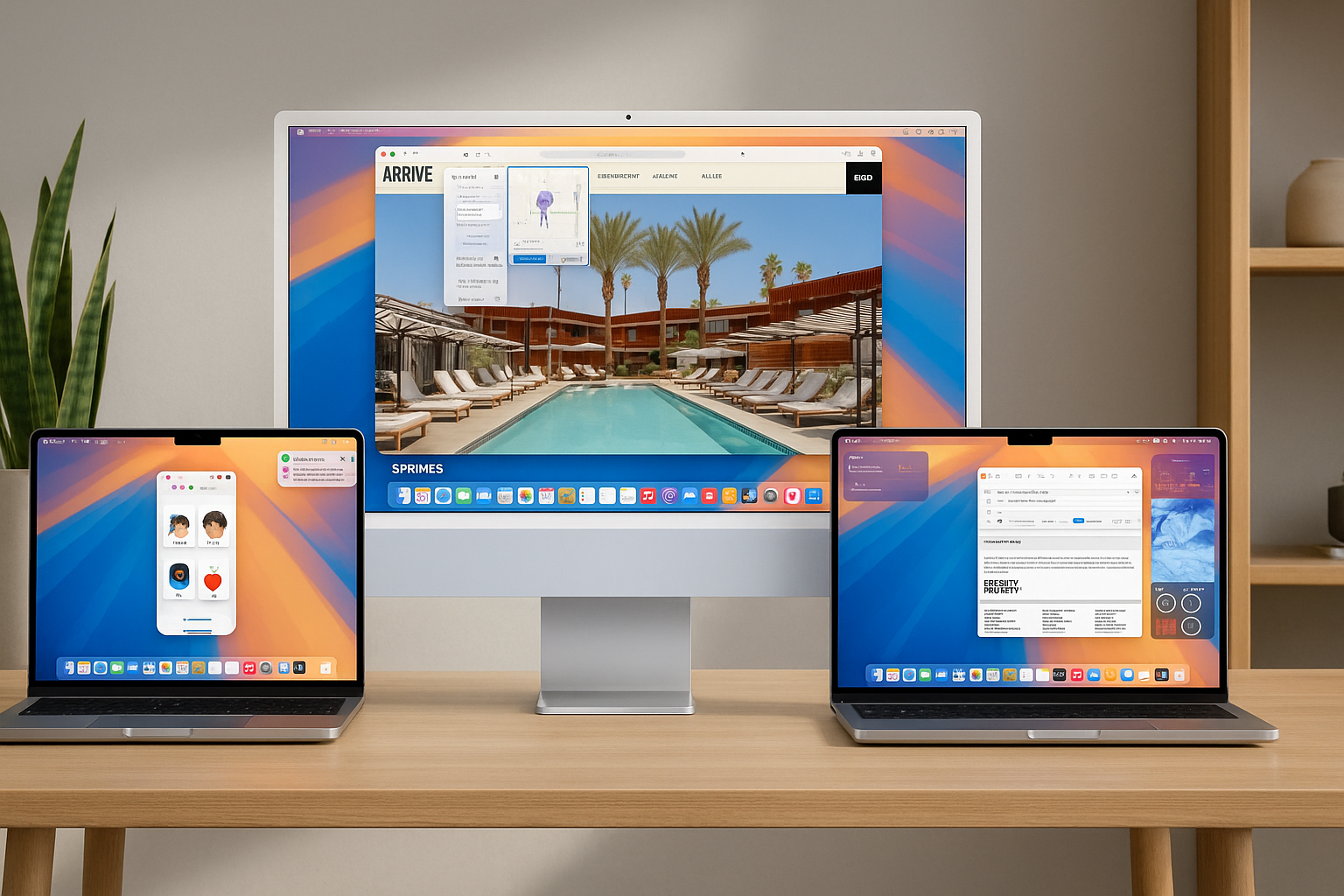
macOS Sequoia is the latest evolution of the world’s most advanced desktop operating system, bringing powerful new features, intelligent tools, and deeper integration across Apple devices. macOS Sequoia marks a major milestone in the evolution of the Mac. This isn’t just another yearly update; it’s a sweeping refresh that integrates Apple Intelligence, introduces iPhone Mirroring, reimagines system apps, and delivers deeper privacy controls — all while laying a stronger foundation for developers and power users.
With Apple Intelligence built into the core, a redesigned Safari experience, and numerous native app improvements, macOS Sequoia enhances how users interact with their Mac in meaningful, intuitive ways. macOS Sequoia is Apple’s clearest vision yet of how Mac fits into an intelligent, interconnected ecosystem spanning iPhone, iPad, Watch, and AirPods.
For a full ecosystem perspective, you can check out our iPhone 16, Apple Watch Series 10, and AirPods 4 reviews.
iPhone Mirroring: A Leap in Device Integration
Continuity takes a leap forward in macOS Sequoia with iPhone Mirroring, letting users fully access and control their iPhone directly from their Mac. The iPhone’s interface, wallpaper, and apps appear exactly as they do on the device, and users can navigate with their Mac’s keyboard, trackpad, or mouse.
This isn’t a limited screen view — it’s a live, interactive connection. You can check notifications, run apps, and even drag files between devices. Engadget calls it one of the most useful additions Apple has ever made to Continuity, reducing the need to constantly pick up your phone during the workday.
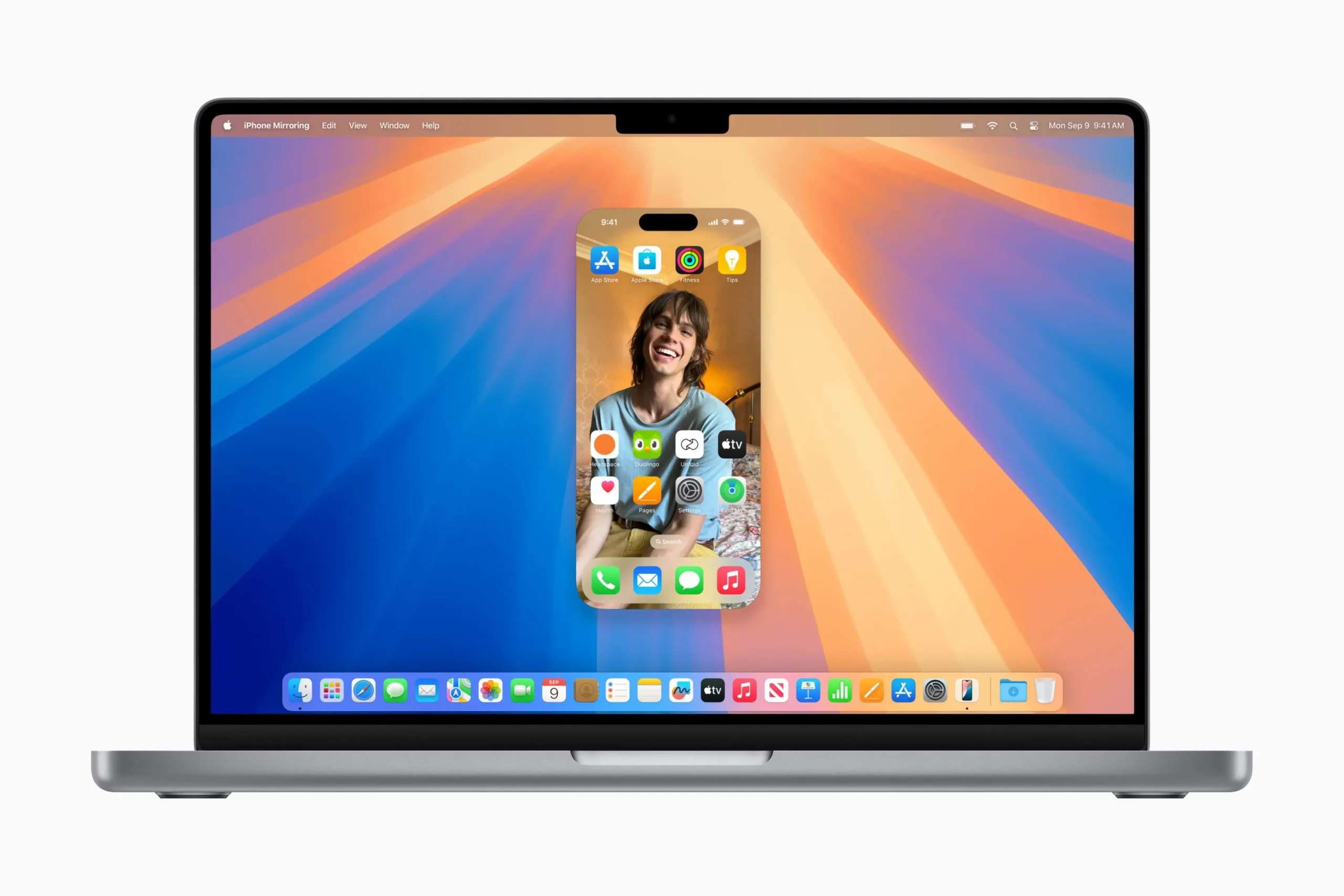
Mirroring allows users to:
- Swipe through their Home Screen
- Open and use apps
- Drag and drop between Mac and iPhone
- View and respond to iPhone notifications
Importantly, the iPhone remains locked and secure, ensuring privacy while still displaying information in StandBy mode for quick access.
What makes iPhone Mirroring stand out is its seamlessness: no lag, no complicated pairing, just a tight, fluid bridge between macOS and iOS. It represents Apple’s larger strategy — creating an experience where your devices feel like different windows into the same digital space.
Apple Intelligence: Privacy-First AI Arrives to macOS Sequoia
Apple Intelligence debuts in Sequoia as a series of integrated, context-aware AI tools designed to boost productivity without compromising user privacy. Wired highlights how these tools — including smarter Spotlight searches, intelligent Mail suggestions, and document summarization — offer real value in daily workflows.
Exclusive to Macs with an M-series chip, Apple Intelligence brings powerful new capabilities with on-device privacy at the core. Unlike competitors’ cloud-heavy AI services, Apple Intelligence runs on-device or uses Private Cloud Compute, ensuring that sensitive data like personal emails or calendar events never leave your control.
With Private Cloud Compute, more complex requests are handled securely on Apple silicon servers — no data is stored or shared with Apple. Independent audits help ensure these privacy commitments are upheld. This privacy focus sets Apple apart, reinforcing trust even as it ventures into AI territory.
The cross-app connections are where Apple Intelligence shines: your calendar suggests tasks pulled from emails, Notes drafts summaries based on meeting recaps, and Safari highlights key site details. It’s a quiet but powerful improvement that makes macOS feel more like an assistant, not just an operating system.
Performance Gains and System Polishing
Under the hood, macOS Sequoia brings meaningful speed and efficiency improvements. Animations are smoother, window handling is sharper, and memory management has been refined, especially for Apple Silicon Macs. Even older M1 models benefit, with faster app launches and better multitasking.
Stage Manager, Apple’s multitasking tool, has been fine-tuned to allow better window groupings and customization, making it more useful for pro users managing complex workflows.
The redesigned System Settings app, long a frustration point, is now more logically organized, putting critical controls within easier reach.
Privacy and Security: Apple Doubles Down On macOS Sequoia
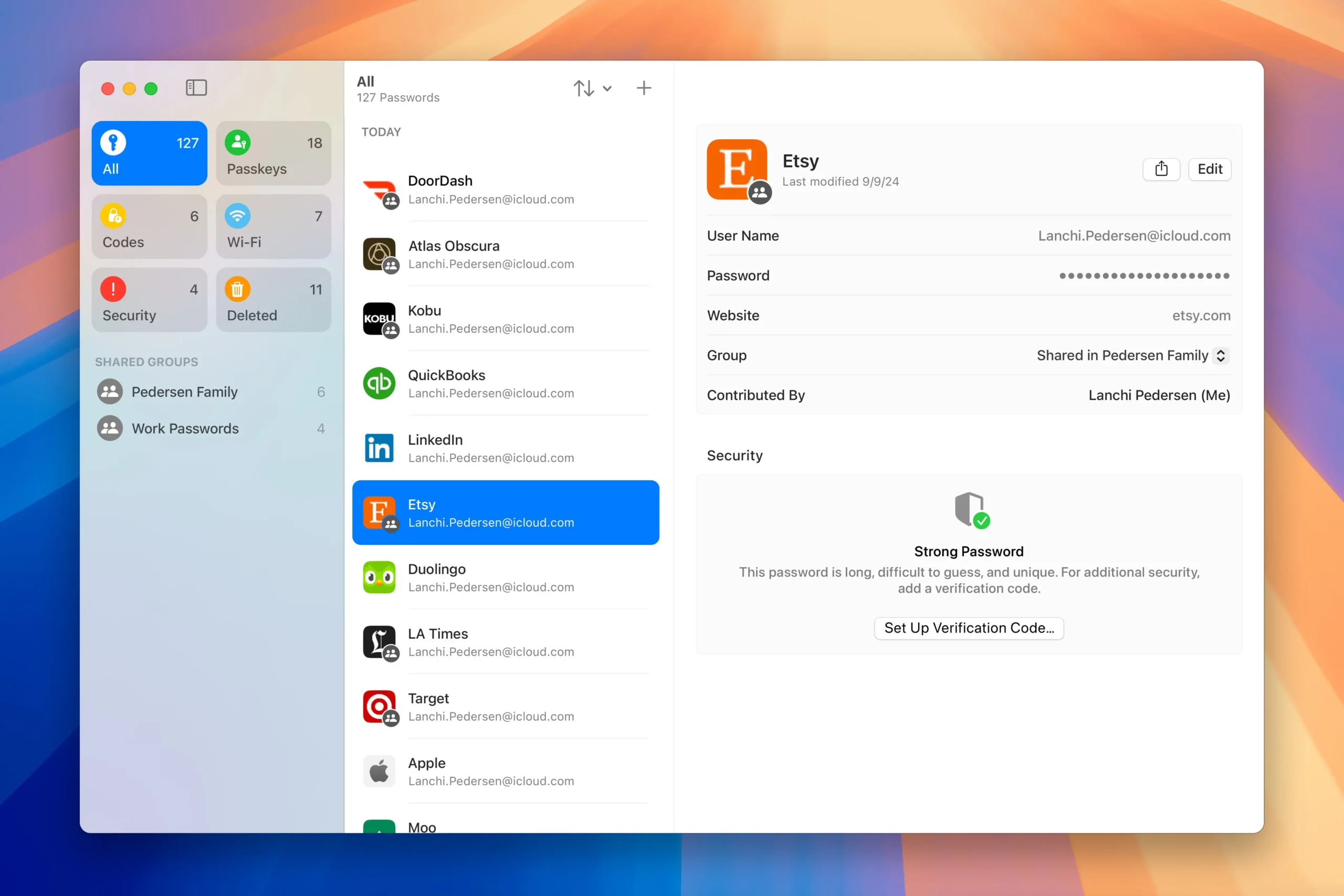
Privacy has always been a cornerstone of Apple’s approach, and Sequoia takes it further. Apple highlights enhanced Passkey support and the expanded Passwords app, which reduces reliance on traditional passwords while boosting security.
The all-new Passwords app, built on the trusted foundation of Keychain, organizes passwords, passkeys, Wi-Fi credentials, and more in one intuitive location. It offers:
- End-to-end encryption
- Seamless syncing across Mac, iPhone, iPad, and Windows (via iCloud for Windows)
- Deep Safari integration for autofill and login
More subtle — but critical — improvements include refined permission prompts, giving users clearer control over what apps can access, and expanded Lockdown Mode protections for high-risk users like journalists or political dissidents. These upgrades reinforce Apple’s commitment not just to adding features, but to building digital trust into every layer of the operating system.
Safari: Smarter Browsing with Highlights and More
Safari continues to be the world’s fastest browser, and now it’s even more helpful with Highlights, a machine learning-powered feature that surfaces relevant information such as directions, summaries, or quick links about people, music, and locations.
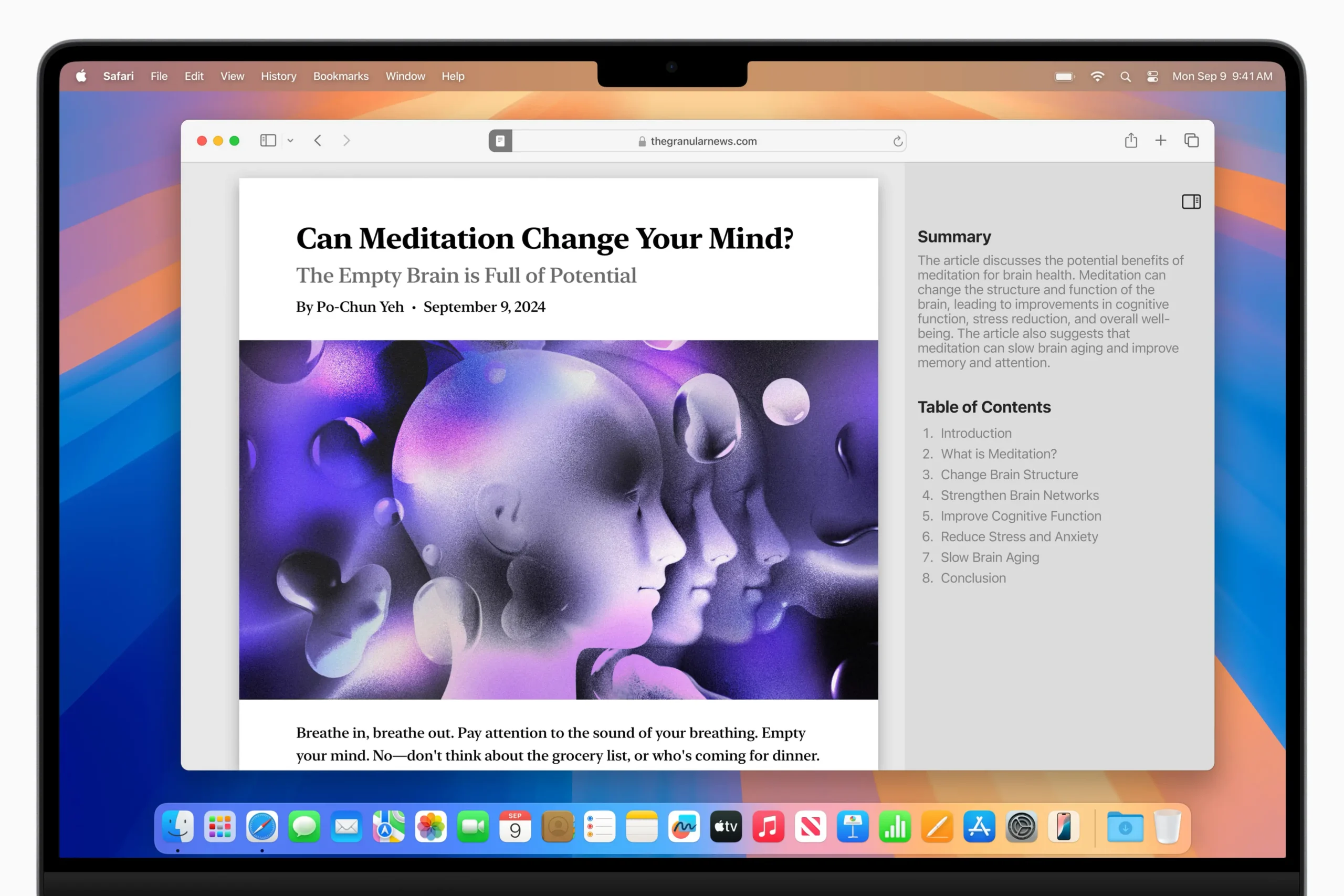
A redesigned Reader mode offers a cleaner reading experience with summaries and a table of contents, and a new Viewer helps users bring videos front and center with full system playback controls, including Picture in Picture. New Distraction Control features also let users hide unwanted elements while browsing.
Safari’s privacy toolkit has also been updated, with stronger anti-tracking measures and new fingerprinting defenses. Combined with system-wide encryption and App Tracking Transparency, Sequoia maintains Apple’s position as the privacy leader among major tech platforms.
Messages now goes beyond basic chatting, with support for scheduled messages, fun new effects, and tighter alignment with iOS. This means your Mac is no longer the “less fun” messaging device — it’s just as capable as your iPhone, including stickers, reactions, and synced threads.
In Photos, Apple Intelligence drives enhanced categorization, making it easier to locate people, places, or specific moments without sifting through endless thumbnails. The search function has been supercharged to recognize nuanced queries like “beach trip last summer” or “birthday with red balloons,” making your photo library more alive and accessible.
Notes stands out as a productivity powerhouse. Integration with Reminders and Mail allows you to turn jotted ideas directly into tasks, deadlines, or follow-ups. The addition of audio transcription, embedded PDFs, and richer formatting tools means Notes has become a genuine competitor to third-party productivity apps — all while staying fast, simple, and deeply integrated into macOS.
Even Mail sees smart refinements, with improved search accuracy, easier email categorization, and draft suggestions powered by Apple Intelligence. These upgrades, though subtle, add up to an experience where small daily interactions on your Mac become smoother, smarter, and more context-aware.
For Developers: A Platform for Innovation
Developers have plenty to be excited about in Sequoia. The new Xcode 16 environment offers expanded support for Swift and SwiftUI, plus updated APIs that let third-party apps tap into Apple Intelligence.
This means developers can build smarter, more context-aware apps that better integrate into system-level features. AppleInsider points out that macOS Sequoia’s biggest leap may not be in what Apple ships today, but in what it enables developers to create tomorrow — richer, more adaptive experiences that harness the full power of Apple’s AI framework.
Apple has also improved developer tools for cross-platform integration, making it easier to build apps that work seamlessly across Mac, iPhone, and iPad. With these advancements, the line between desktop and mobile experiences continues to blur, opening up new possibilities for hybrid workflows and multi-device innovations.
Real-World Reviewer Takeaways: A Platform Maturing
Reviews from PCMag, Tom’s Guide, and others highlight a consensus: Sequoia is not flashy, but it’s foundational. The emphasis on integration, intelligence, and privacy over superficial redesigns signals Apple’s long-term strategy.
Users report that even small quality-of-life improvements, like faster animations or cleaner app navigation, make daily use more enjoyable. For power users, the combination of performance boosts and AI integration creates a sense of working on a platform that’s actively helping, not just passively running software.
macOS Sequoia Is Just Close To Perfection
But not everything is perfect. Users on Intel-based Macs will miss out on some flagship features, nudging many toward hardware upgrades. iPhone Mirroring, while impressive, may be less compelling for users who already keep workstreams separate. And Apple Intelligence, though promising, still has rough edges — some AI summaries and suggestions feel basic, reminding us that it’s early days for Apple’s AI journey.
On the positive side, iPhone Mirroring stands as one of the most tangible examples of ecosystem synergy we’ve seen yet, fusing macOS and iOS into a shared workspace. Apple Intelligence enhances daily tasks — searching, drafting, summarizing — in ways that boost productivity without requiring constant cloud connections or risking privacy.
The redesigned system apps may seem subtle at first, but over time they reshape workflows, making everything from browsing to note-taking faster and more contextually aware. Combined with Apple’s industry-leading privacy protections and expanded developer opportunities, Sequoia elevates the Mac to a new level of power, adaptability, and relevance.
macOS Sequoia Point to the Mac’s Bright Future
macOS Sequoia is more than just a collection of features — it’s a statement of intent. Apple is building a platform centered on intelligence, integration, and user trust. It doesn’t matter if you’re a casual user, a creative professional, or a developer pushing the limits of what’s possible, macOS Sequoia delivers tools that make the Mac feel not just modern, but future-ready.
macOS Sequoia brings a new level of intelligence, productivity, and personalization to the Mac. Whether it’s effortlessly interacting with your iPhone, browsing smarter with Safari, organizing passwords, or using Apple Intelligence to boost everyday tasks, Sequoia turns the Mac into an even more powerful personal device. And with Apple’s industry-leading privacy standards, it does all of this while keeping user data safe and secure.
If you’re already part of the Apple ecosystem, the upgrade is a clear win. For those considering their first Mac, Sequoia makes a compelling case, offering a platform designed to be private, powerful, and deeply interconnected.
