
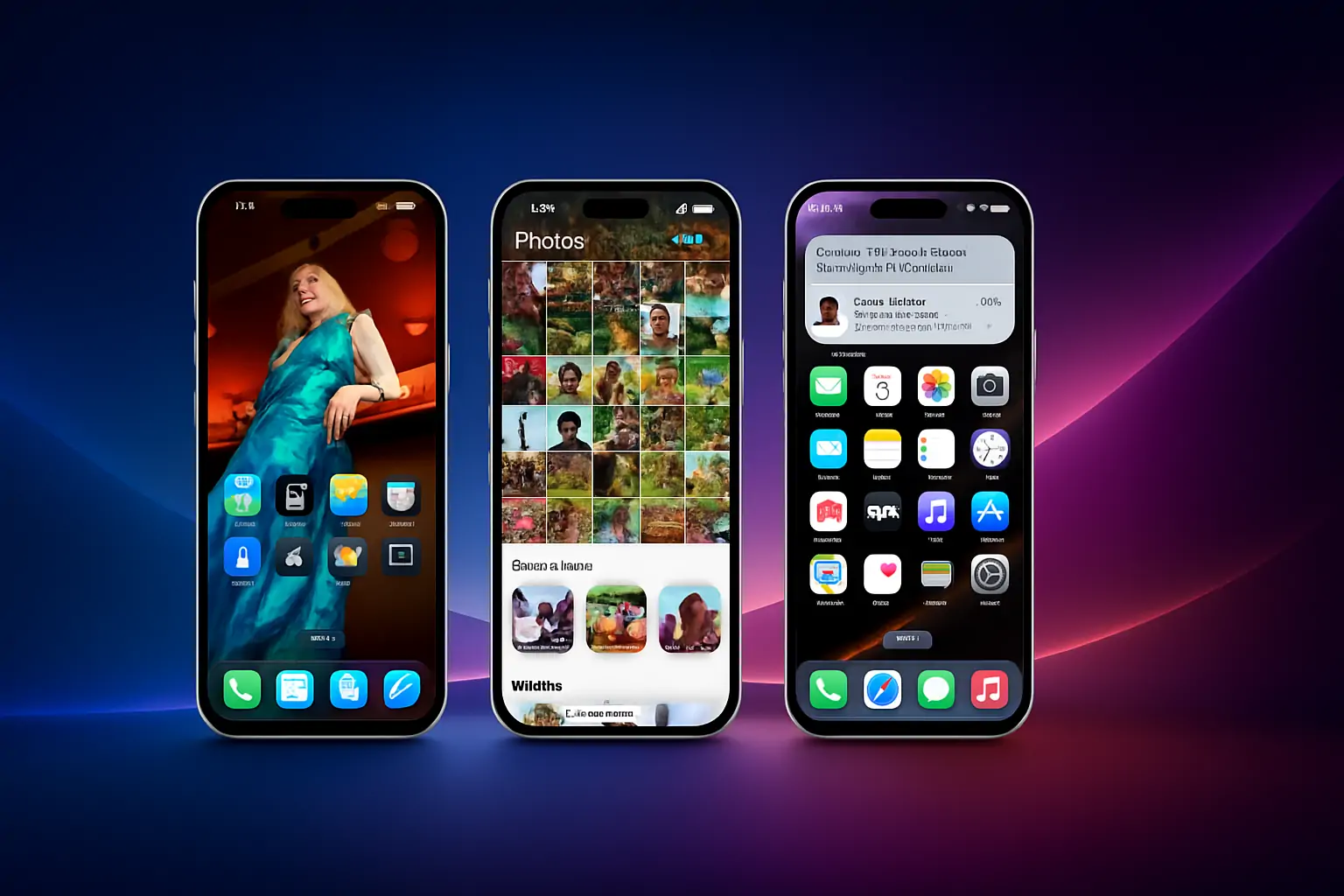
With the release of iOS 18, Apple is reshaping how the iPhone fits into our daily lives. This isn’t just a routine update — it’s a bold reimagining of iOS, blending deep customization, powerful on-device AI (dubbed Apple Intelligence), and robust privacy features into a cohesive, user-first experience. Don’t miss on this iOS 18 review, whether you’re eager for a more personalized interface or curious about how Apple is pushing into the AI frontier.
On this review we’ll explore Apple’s latest iOS release, but if you want to explore the hardware made to take the most of iOS 18, check out our iPhone 16 Series Unveiled article.
Customization: Making Your iPhone Truly Yours
While Apple has traditionally been conservative with interface customization, iOS 18 breaks new ground. Users can now place app icons anywhere on the home screen, apply dynamic themes that shift color palettes systemwide, and create fully interactive widgets. The lock screen becomes more functional, offering live widgets that update in real time without requiring app launches.
What’s exciting is how seamlessly these customizations blend with usability. As CNET notes, the changes don’t just make the iPhone prettier — they make it more functional and personal, letting each user build an interface that mirrors their daily needs and style.


Apple Intelligence: AI That Understands You
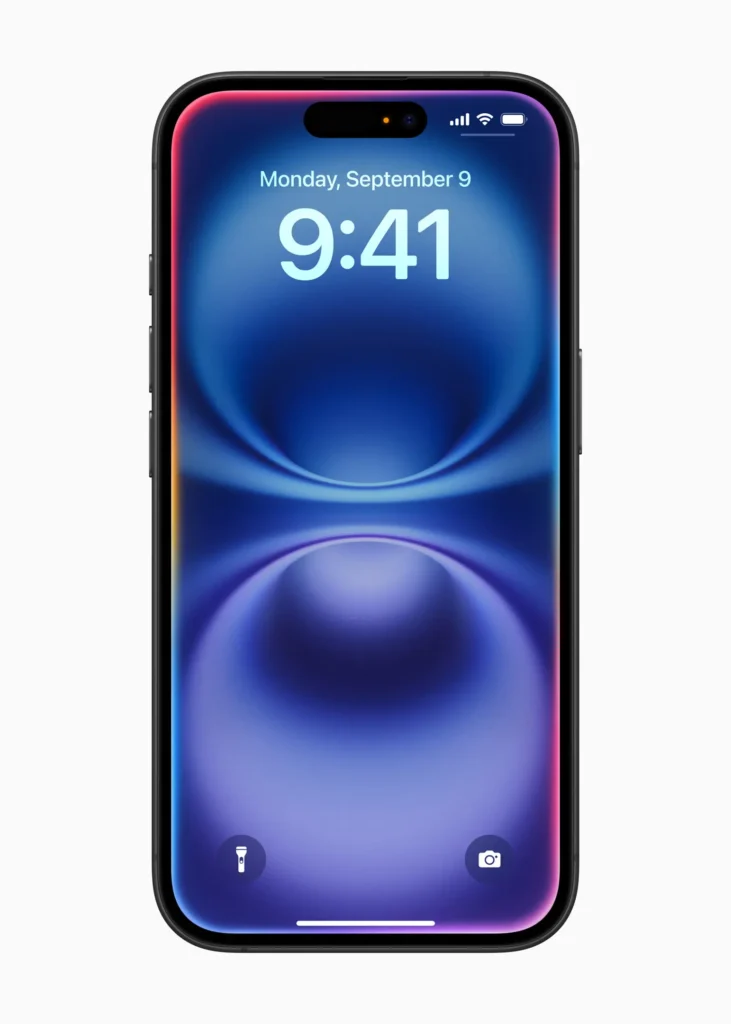
Apple Intelligence is tightly woven into iOS 18, powered by Apple silicon to understand and generate language and images, take action across apps, and use personal context to streamline everyday tasks—all with Apple’s trademark commitment to privacy and security. The first wave of Apple Intelligence features arrives next month, delivering intuitive, privacy-first experiences designed to help users focus on what matters most.
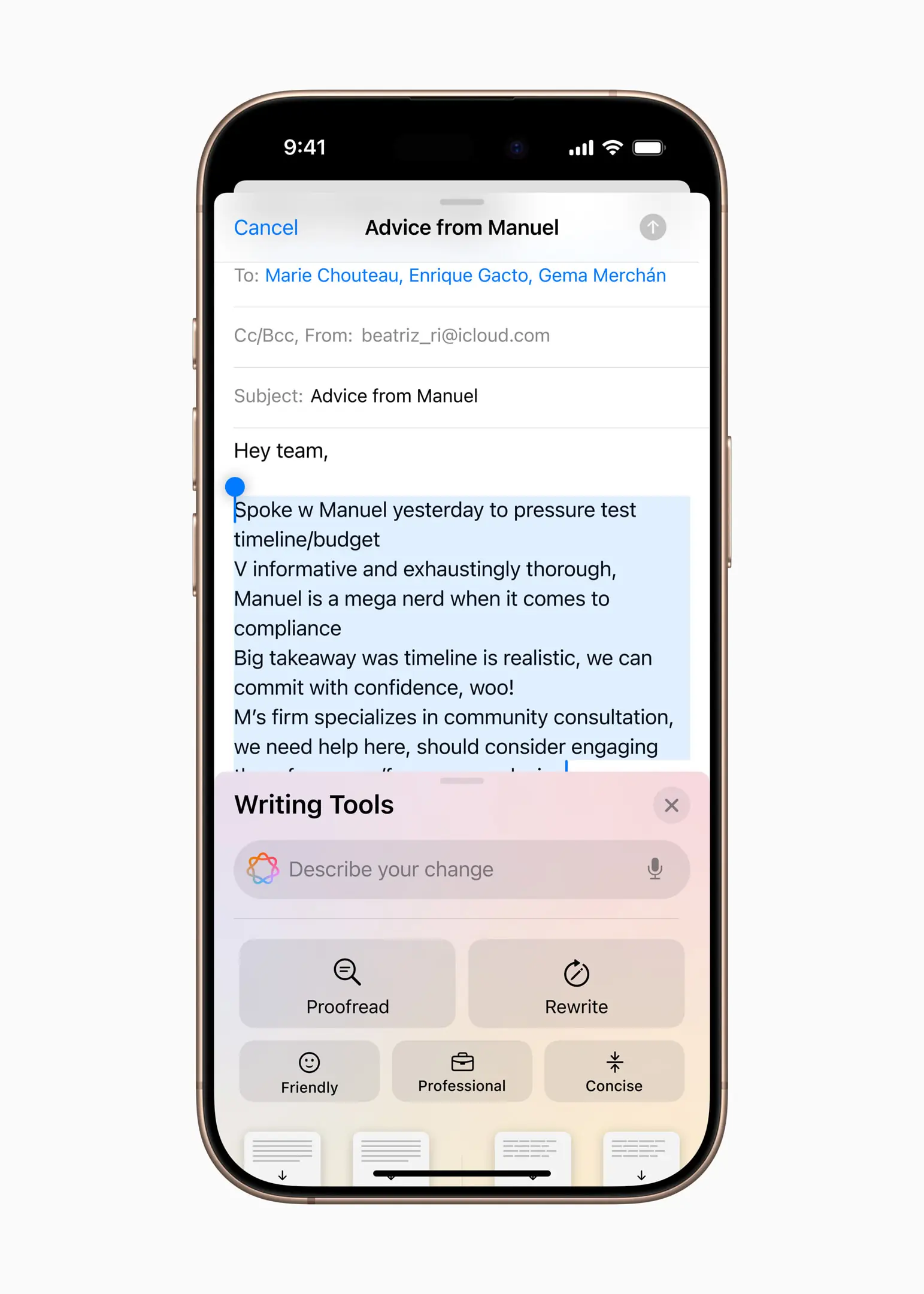
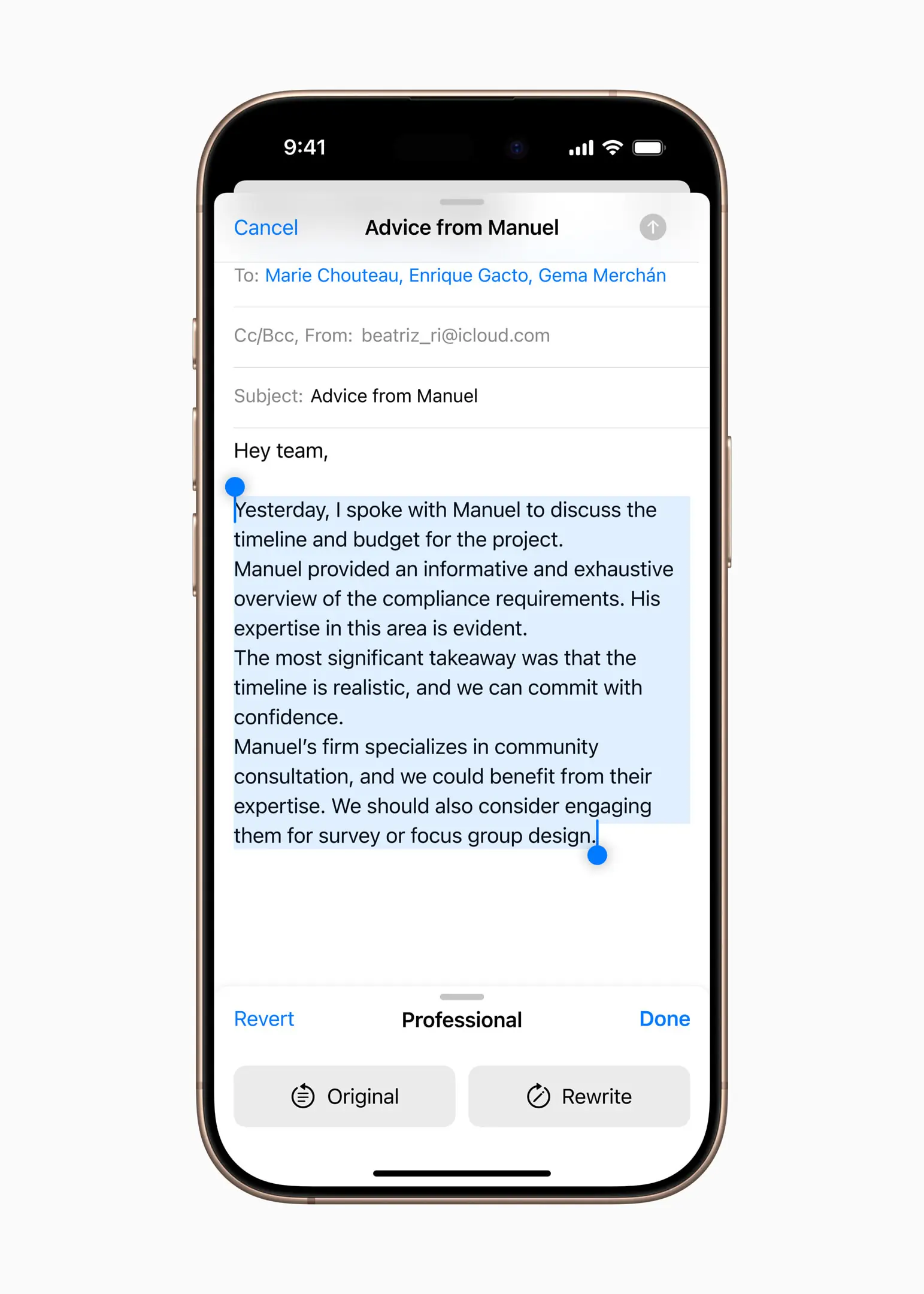
Writing Tools allow users to refine their text by rewriting, proofreading, or summarizing content across apps like Mail, Notes, Pages, and even third-party apps. In Photos, the enhanced Memories feature lets users create custom movies just by describing what they want to see. Photo search becomes even more natural, with users able to find specific images or moments in videos using everyday language. The new Clean Up tool removes background distractions without altering the subject, ensuring photos stay focused and polished. In both the Notes and Phone apps, users can now record, transcribe, and summarize audio. When calls are recorded, participants are notified automatically, and once the call ends, Apple Intelligence provides a clean summary to capture key takeaways.
Siri is also getting a major upgrade. It’s more natural, responsive, and context-aware—backed by deeper system integration and a refined new look featuring a glowing light around the screen’s edge when active. Users can now type to Siri at any time and fluidly switch between voice and text. With enhanced language understanding, Siri can interpret requests even when users stumble, and it now carries context across multiple interactions. It also taps into Apple’s deep product knowledge to answer thousands of questions about device features and settings.
With most Apple Intelligence models running entirely on device, and Private Cloud Compute extending Apple’s privacy protections into the cloud, this marks a major leap forward in secure, intelligent computing—bringing real AI value without compromising user trust.
Privacy and Security: Raising the Bar Again
Privacy has long been a cornerstone of Apple’s strategy, and iOS 18 raises the bar even higher. The update introduces an expanded Privacy Dashboard, offering clear, user-friendly summaries of how apps access your data, including real-time alerts for background activity.
Building on prior commitments like end-to-end iCloud encryption, Apple now provides time-limited permissions and fine-grained controls for location, camera, and microphone access, all packed within the smooth app experience users expect. Apps can now be locked individually, or hidden entirely within a secure, hidden apps folder.
iOS 18 puts privacy and control front and center, giving users more say over who sees their apps, which contacts are shared, and how their iPhone connects to accessories. With locked and hidden apps, sensitive information—like messages, emails, and notifications—stays out of sight. Content from these apps is excluded from search, notifications, and other system-wide surfaces, adding an extra layer of protection. iOS 18 also introduces the ability to share only selected contacts with an app, and developers can now create smoother, more private experiences when pairing third-party accessories.
Deep Dive: What Else Does iOS 18 Bring?
The Keychain Evolution
Passwords is a brand-new app built on Apple’s trusted Keychain foundation, designed to make managing credentials easier and more intuitive. It brings together passwords, passkeys, verification codes, and more—all in one secure, streamlined place. With end-to-end encryption and seamless syncing across devices, Passwords keeps everything protected and accessible. It also helps users stay safe by flagging weak, reused, or compromised passwords based on known data breaches.
More Powerful Ways to Stay Connected
Messages introduces powerful new ways for users to be themselves and stay connected. Rich text formatting—like bold, italic, underline, and strikethrough—adds clarity and tone to conversations, while dynamic new text effects animate words, phrases, or entire messages. Emoji and sticker Tapbacks expand how users can respond, and scheduled messaging allows them to compose an iMessage in advance and send it later.
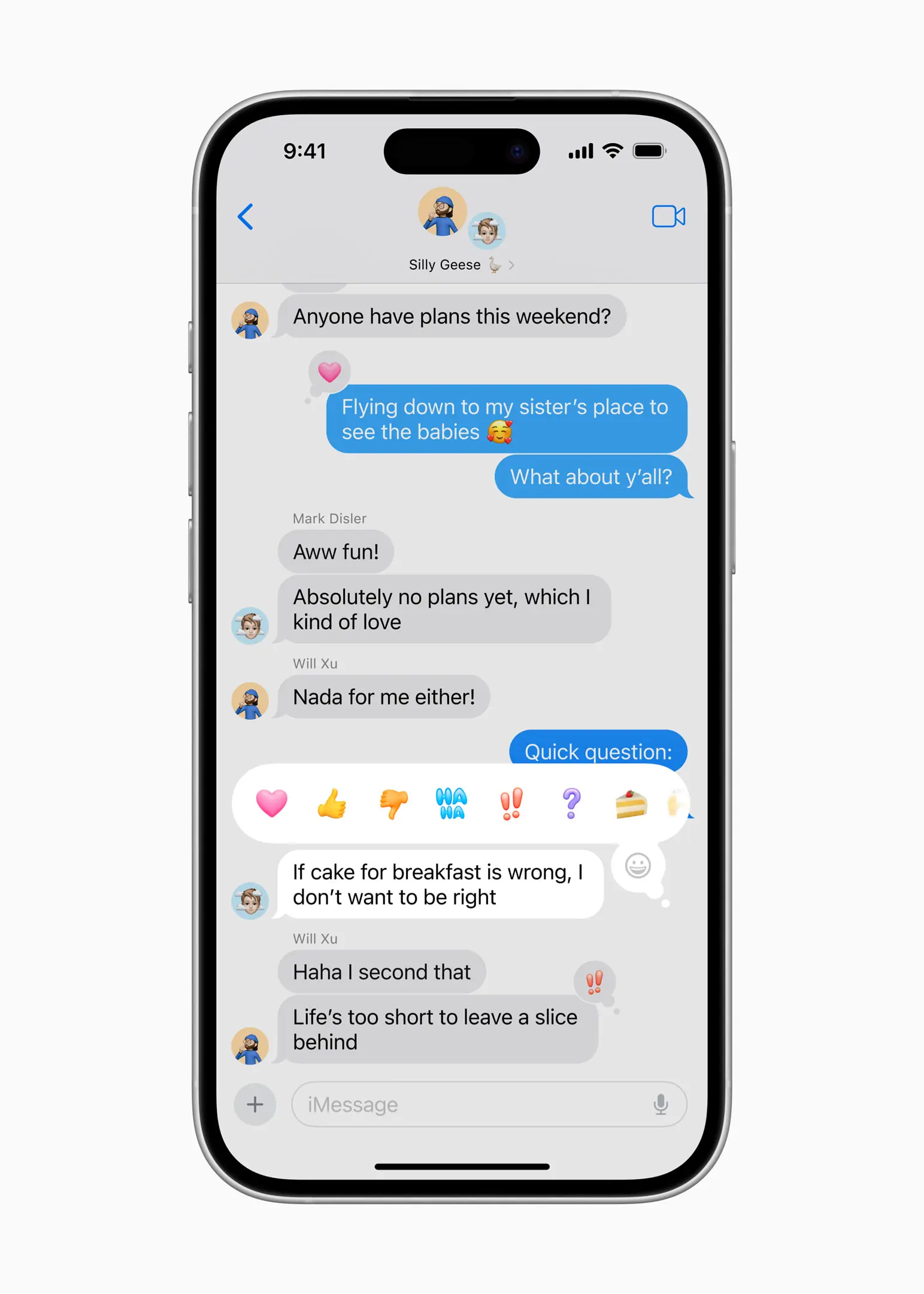
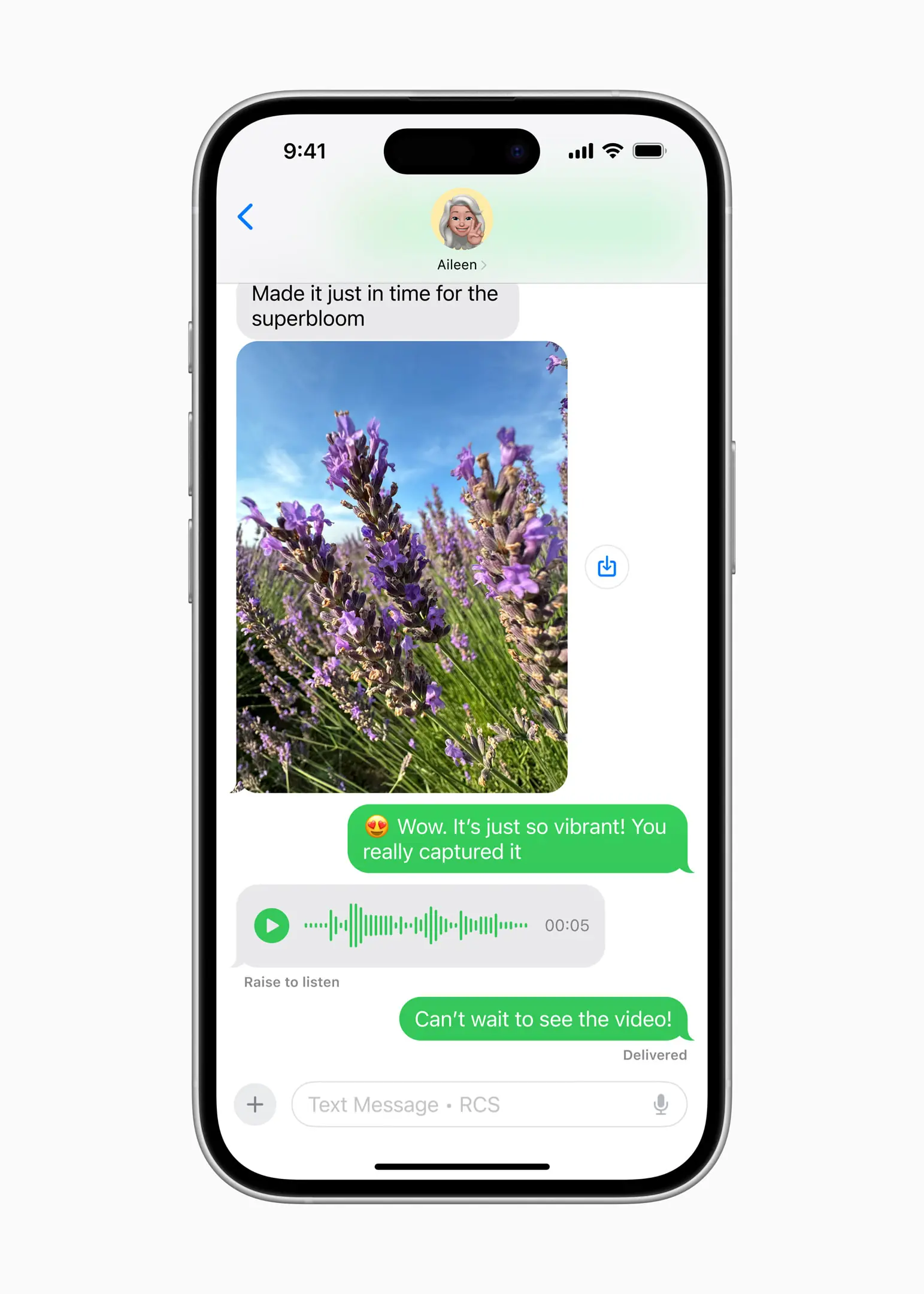
When cellular or Wi-Fi service isn’t available, Messages via satellite lets users stay in touch by connecting directly to a satellite, enabling the sending and receiving of texts, emoji, and Tapbacks over iMessage or SMS. And with newly added support for RCS, conversations with non-Apple contacts now offer richer media, improved group messaging, and greater reliability than SMS or MMS.
The Phone app also gets a productivity boost with the ability to record and transcribe live calls. Participants are notified when recording begins, and transcripts are automatically saved to the Notes app—making it easy to search, review, and reference important conversations later.
The smartest Mail ever
New categorization features in Mail help users take control of their inbox. A Primary category highlights the most important or time-sensitive messages, so users can focus on what matters first. Other messages—like Transactions, Updates, and Promotions—are automatically grouped by sender in a convenient digest view, making it easier to scan and find relevant emails from businesses at a glance.
Powerful New Features Come to Safari
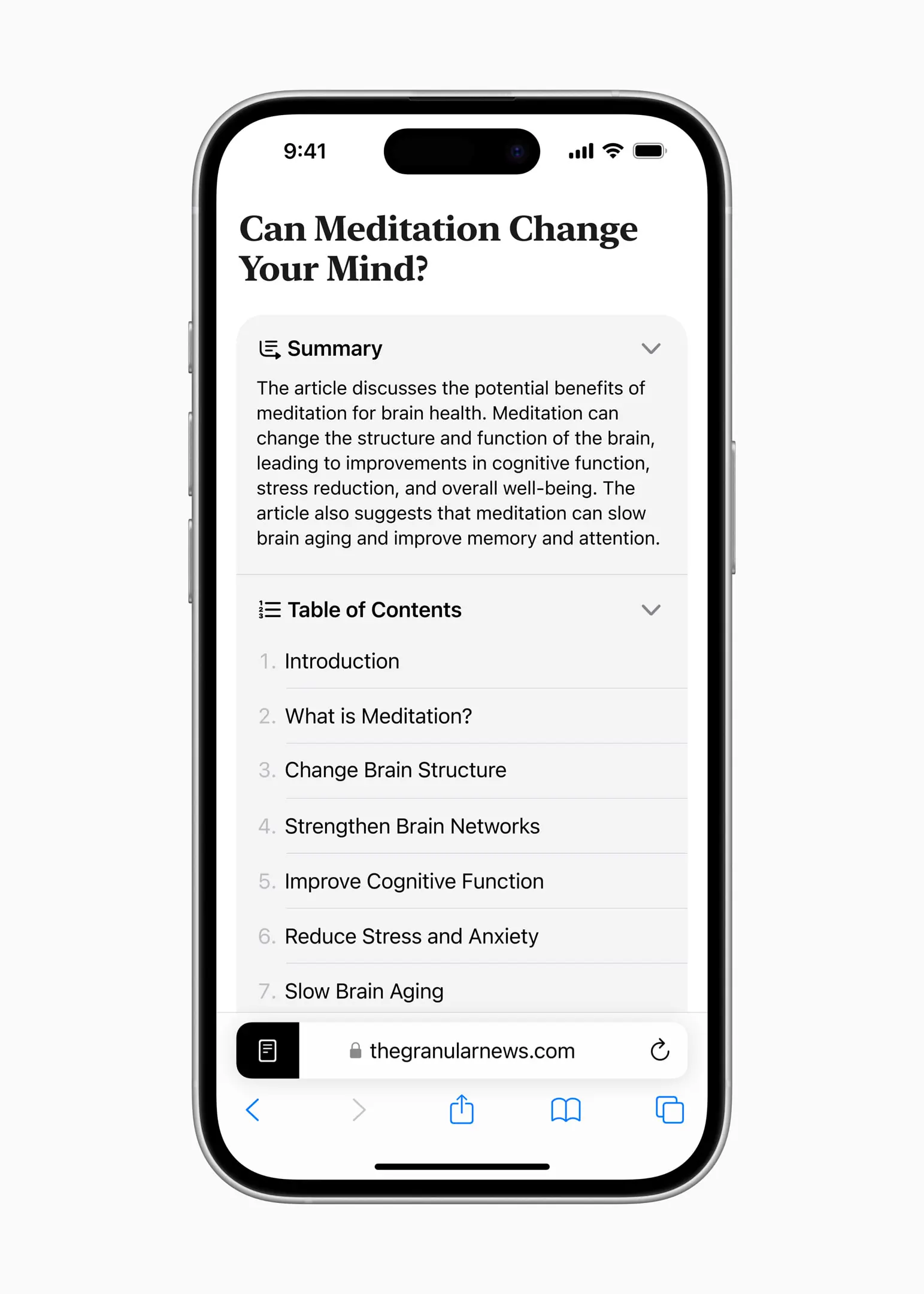
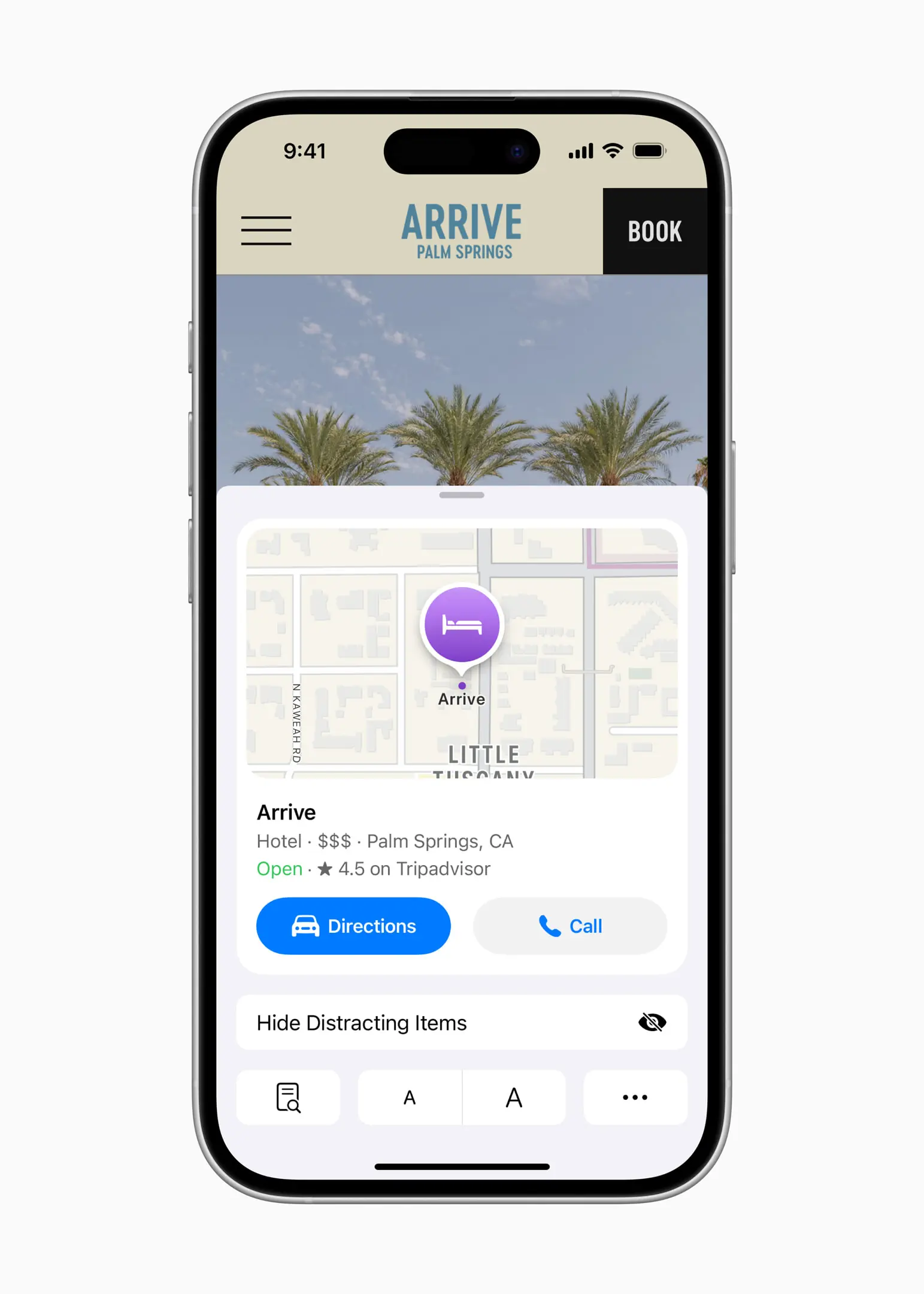
Safari—claimed by Apple to be the world’s fastest browser, and undoubtedly the best browsing experience in our view—gets even smarter with iOS 18. New Highlights automatically surface useful details, like an address, summary, or background info on movies, shows, and songs, right after a page loads. The redesigned Reader delivers a cleaner, more focused way to enjoy articles, complete with summaries and a table of contents for longer reads. And with Distraction Control, users can block intrusive elements like sign-in banners or content overlays, staying fully immersed in the content that matters.
Improvements to the Photos app
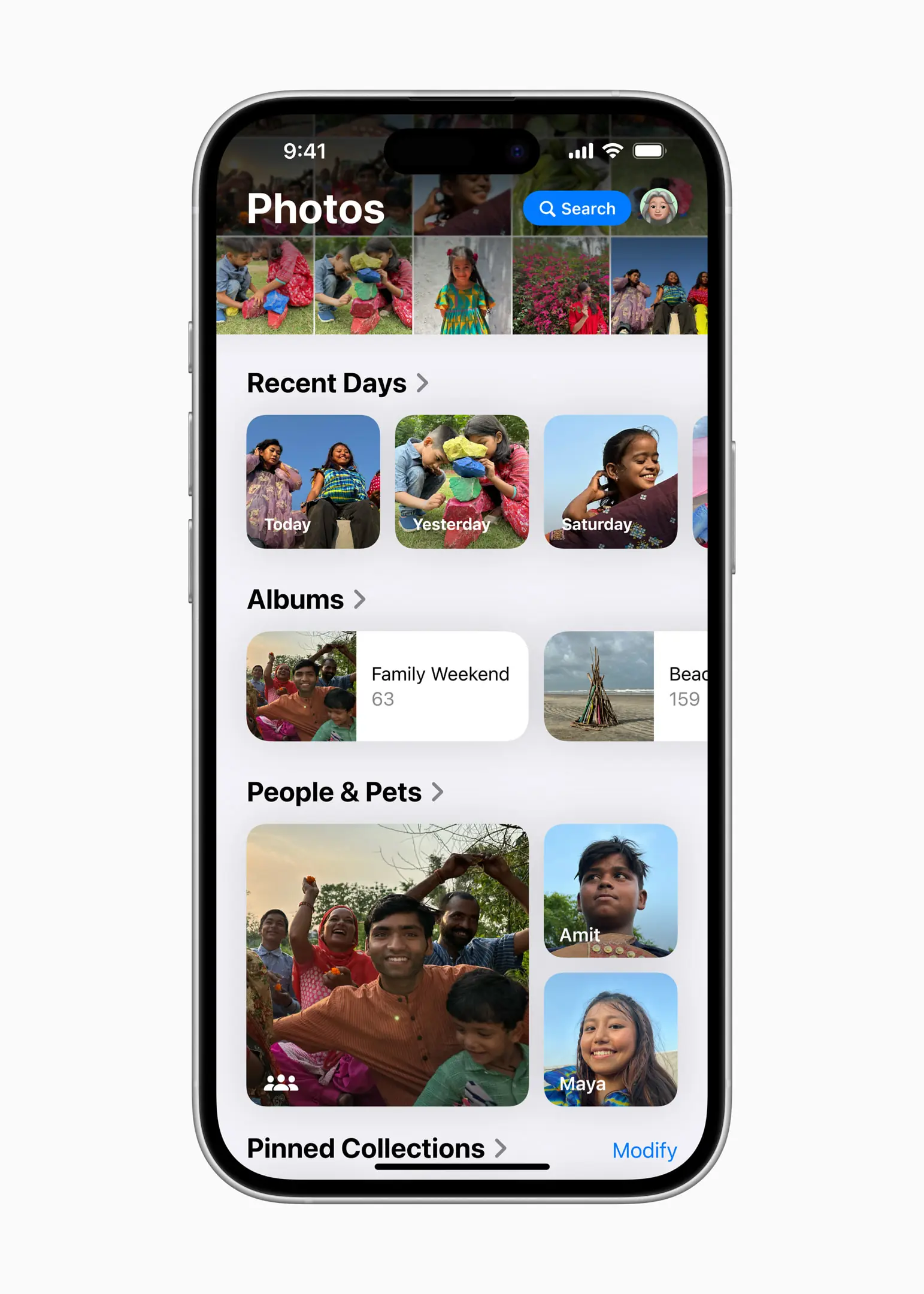
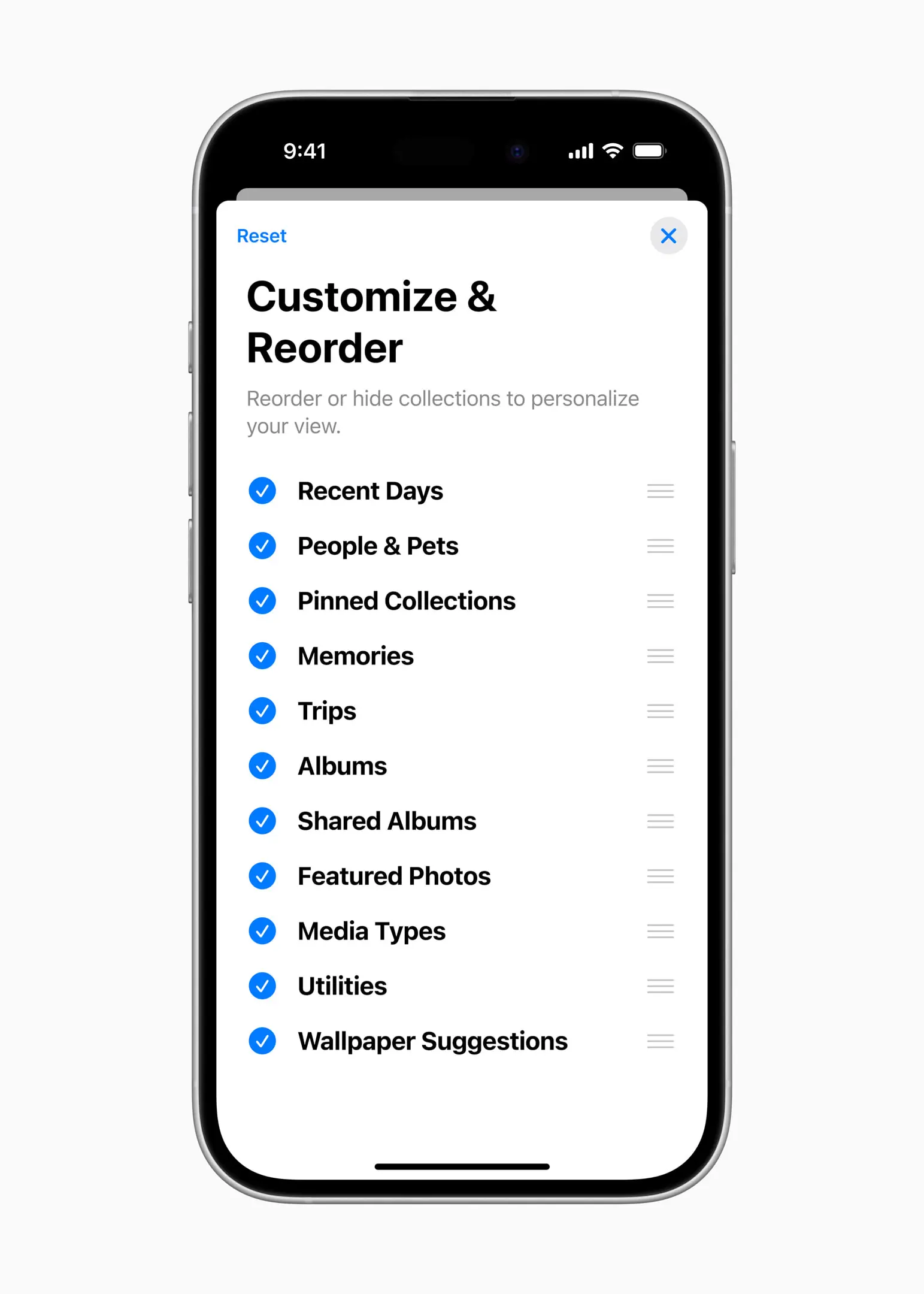
Photos is getting a big update focused on improving the user experience and makes it easier to be in touch all your wonderful memories. The streamlined design brings the entire photo library into a cohesive and familiar view. Smart new collections—like Recent Days, People & Pets, and Trips—use on-device intelligence to keep everything neatly organized, reducing the need to search and letting users focus on reliving their favorite moments.
The layout is also customizable, allowing users to highlight what matters most to them and pin their favorite collections for quick access.
And much more
Beyond the marquee features, iOS 18 is packed with even more thoughtful improvements:
- Control Center Overhaul: A redesigned layout makes it faster to access key functions, like Wi-Fi, Bluetooth, and smart home controls, with fewer taps.
- Face ID Haptics: Subtle haptic feedback now confirms successful Face ID unlocks, adding a tactile reassurance.
- AirDrop Enhancements: Proximity-based AirDrop allows instant transfers by simply tapping two iPhones together, perfect for sharing photos or files on the go.
- Apple Maps Offline: Detailed offline navigation ensures you’re never stranded without directions, even in low-signal areas — a huge win for travelers.
These are smaller, polished touches, that make iOS 18 feel complete, not just flashy.
Pros & Cons: Should You Upgrade?
The Pros
- Apple Intelligence makes AI genuinely useful without compromising privacy.
- Customization tools finally match Apple’s legendary design with user freedom.
- Expanded privacy controls and the new Passwords app put data protection firmly in user hands.
- Smarter Siri and app enhancements streamline daily workflows.
- Thoughtful extras (offline Maps, Control Center redesign, haptic Face ID) improve real-world usability.
The Cons
- Some Apple Intelligence features require newer hardware, especially iPhone 16 models.
- Users unfamiliar with the new tools may need time to adjust and explore.
Despite these trade-offs, iOS 18 is widely praised as Apple’s most meaningful software upgrade in years.
Final Thoughts: A Smarter, More Personal iPhone
iOS 18 represents a significant milestone for Apple — blending customization, AI, and privacy into an operating system that feels fresh, adaptive, and distinctly user-focused. Whether you’re excited about smarter Siri, eager to redesign your home screen, or relieved to see enhanced privacy tools, there’s something here for everyone.
For both long-time Apple fans and curious newcomers, iOS 18 delivers a refined, future-ready experience that sets a new benchmark for what a mobile OS can be.
