
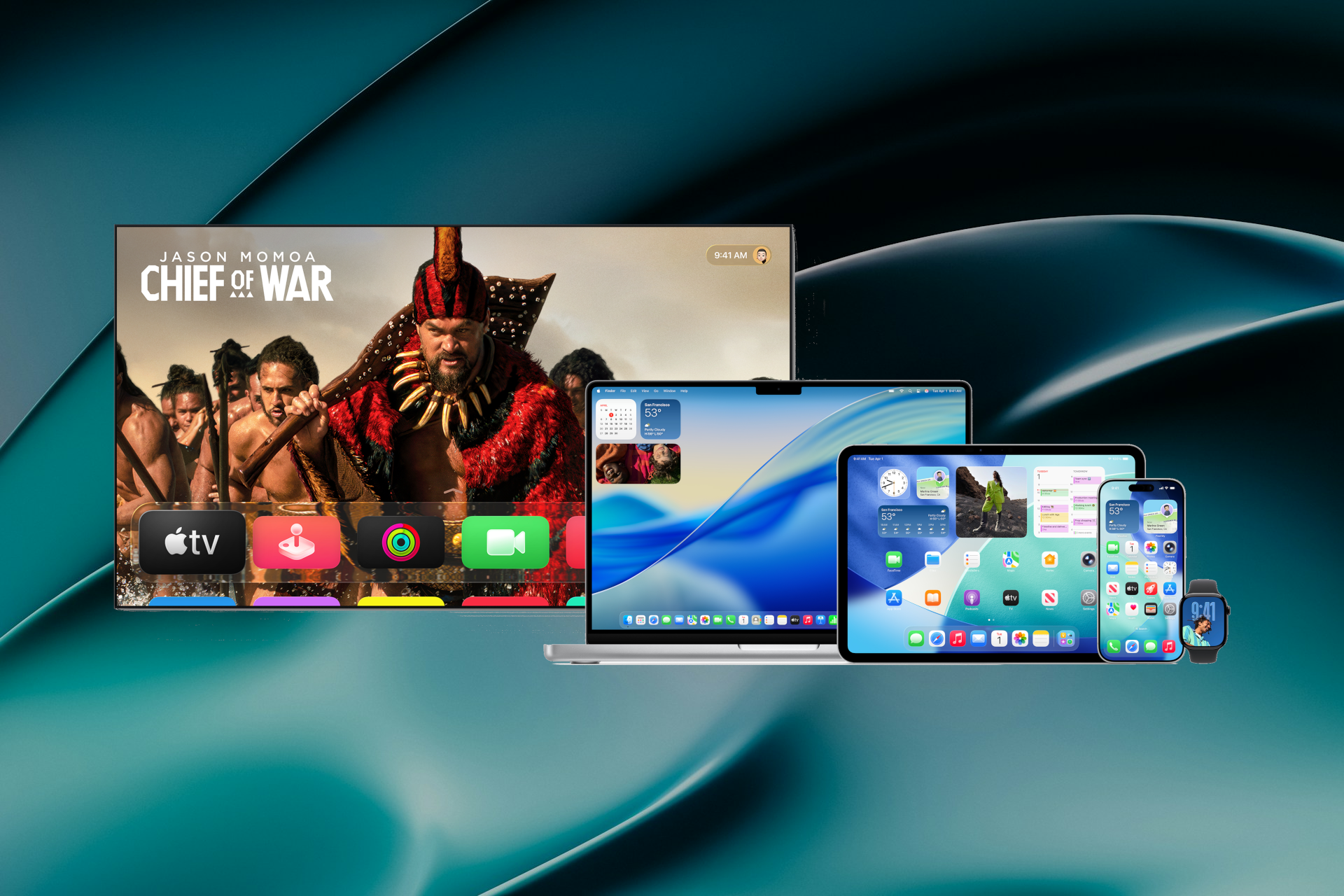
Apple has released its next-generation software. This is a major yearly update for all users. You can now download the new OS 26 updates. They promise to bring great changes to how you use your devices. This large update also impacts all of Apple’s products. It adds new features to the iPhone, iPad, Mac, and more.
A new design called Liquid Glass is a key feature. It has a more fluid and easy-to-use look. The update also brings big upgrades to Apple Intelligence, as Apple integrated these smart tools deeper into its systems.
Apple’s head of software, Craig Federighi, commented on the release. In a press statement, he called it a “profound new chapter for personal intelligence.” He also said Apple designed the tools with user privacy first. This helps you be more creative and get more done, safely.
A Fresh New Design with Liquid Glass
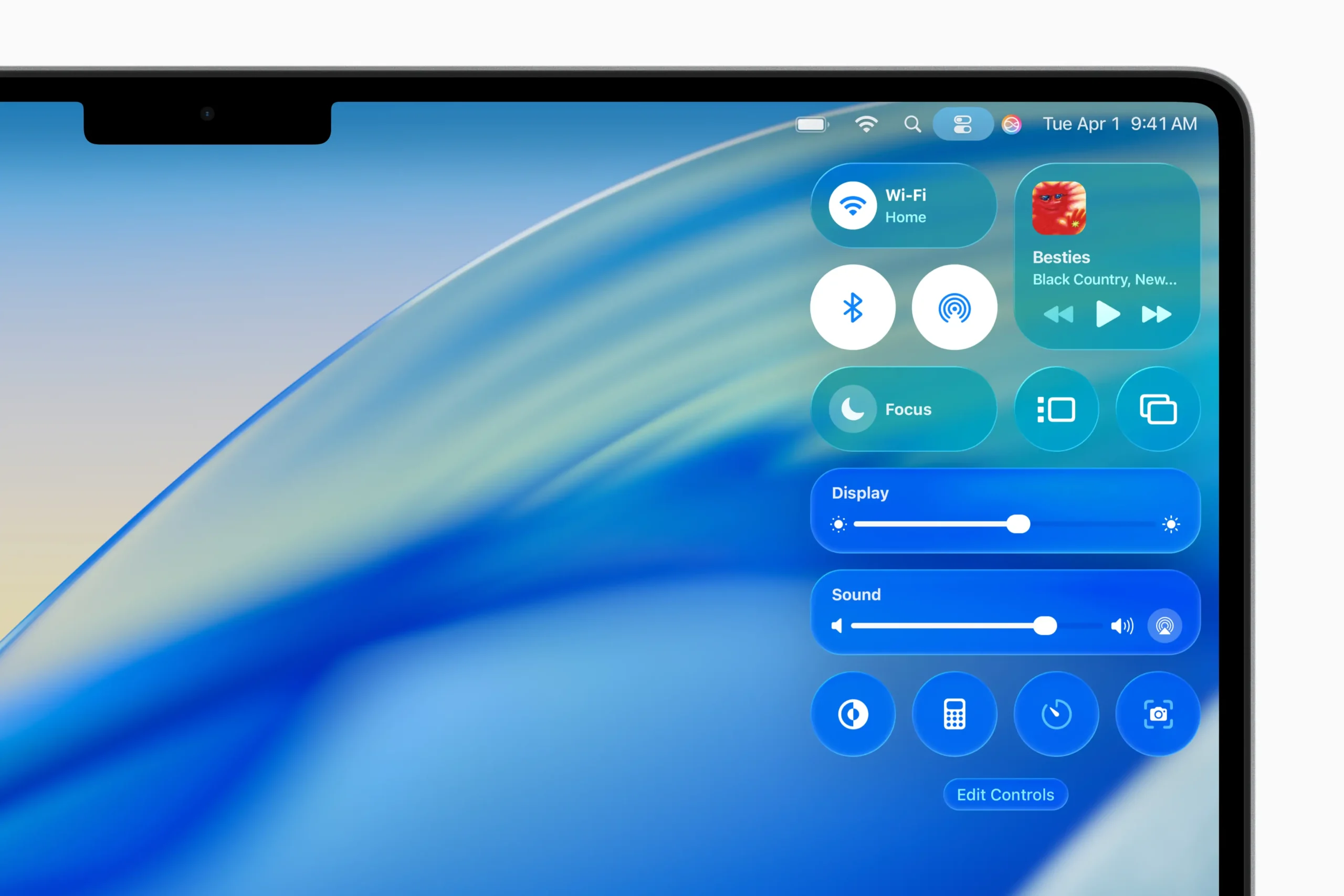
One of the biggest changes in this year’s software is a new design language. Apple calls this new look Liquid Glass. The company designed it to make the user interface feel more natural and intuitive.
Liquid Glass uses translucent, glass-like elements throughout the system. This approach creates a beautiful sense of depth on the screen. It also helps you focus more easily on your content, because background elements gently recede.
Furthermore, this is not a change for just one device. Apple has brought the Liquid Glass design to all its platforms. This provides a more unified and consistent experience, for instance, when you switch between your iPhone and your Mac.
The new design also features more dynamic animations. These new animations make every tap, swipe, and scroll feel more responsive. As a result, the entire system feels more alive and engaging to use.
Apple Intelligence Powers New Creative OS 26 Updates
Apple Intelligence receives major enhancements in this update. This personal intelligence system is designed to help you with writing, communication, and creative tasks. It is deeply integrated, which means you can use its features across many different apps.
New system-wide Writing Tools are a key part of the upgrade. For example, they can help you proofread an important email before you send it. They can also rewrite a sentence to change its tone or summarize a long document for you instantly.
The update also brings fun new ways to create images. A feature called Image Playground lets you make unique images right inside apps like Messages and Notes. In addition, you can now create custom “Genmoji.” These are emoji-like images that you can generate just by typing a description.
Apple built these powerful new features with privacy as a top priority. Most tasks happen right on your device, so your personal data stays private. For more complex requests, Apple uses a secure system called Private Cloud Compute. This ensures that your information is never stored or made accessible to Apple as a result.
What’s New in the Core OS 26 Updates
Beyond the major design and intelligence features, each of Apple’s operating systems also receives its own set of unique and powerful upgrades. These platform-specific changes bring new levels of personalization and productivity to each device.
iOS 26 and watchOS 26
The iPhone gets a much more personal feel with iOS 26. The Lock Screen is now deeply customizable. For example, you can change the fonts and colors of the clock to match your wallpaper. You can also add helpful widgets from your favorite apps. These widgets let you see important information at a glance, like the weather or your upcoming calendar events.
A new feature called Live Activities helps you stay on top of things happening in real time. It is a special kind of notification that can track a sports game or the progress of your food delivery order, all directly from your Lock Screen.
For the Apple Watch, watchOS 26 introduces several beautiful new watch faces. These offer more ways to express your personal style. For fitness fans, the Workout app now shows more advanced metrics, for instance, your running power and heart rate zones. In addition, a new Medications app helps you manage and track your pills, vitamins, and others. It provides a simple way to create a medication list, set up schedules with reminders, and log your doses to stay on track.
iPadOS 26
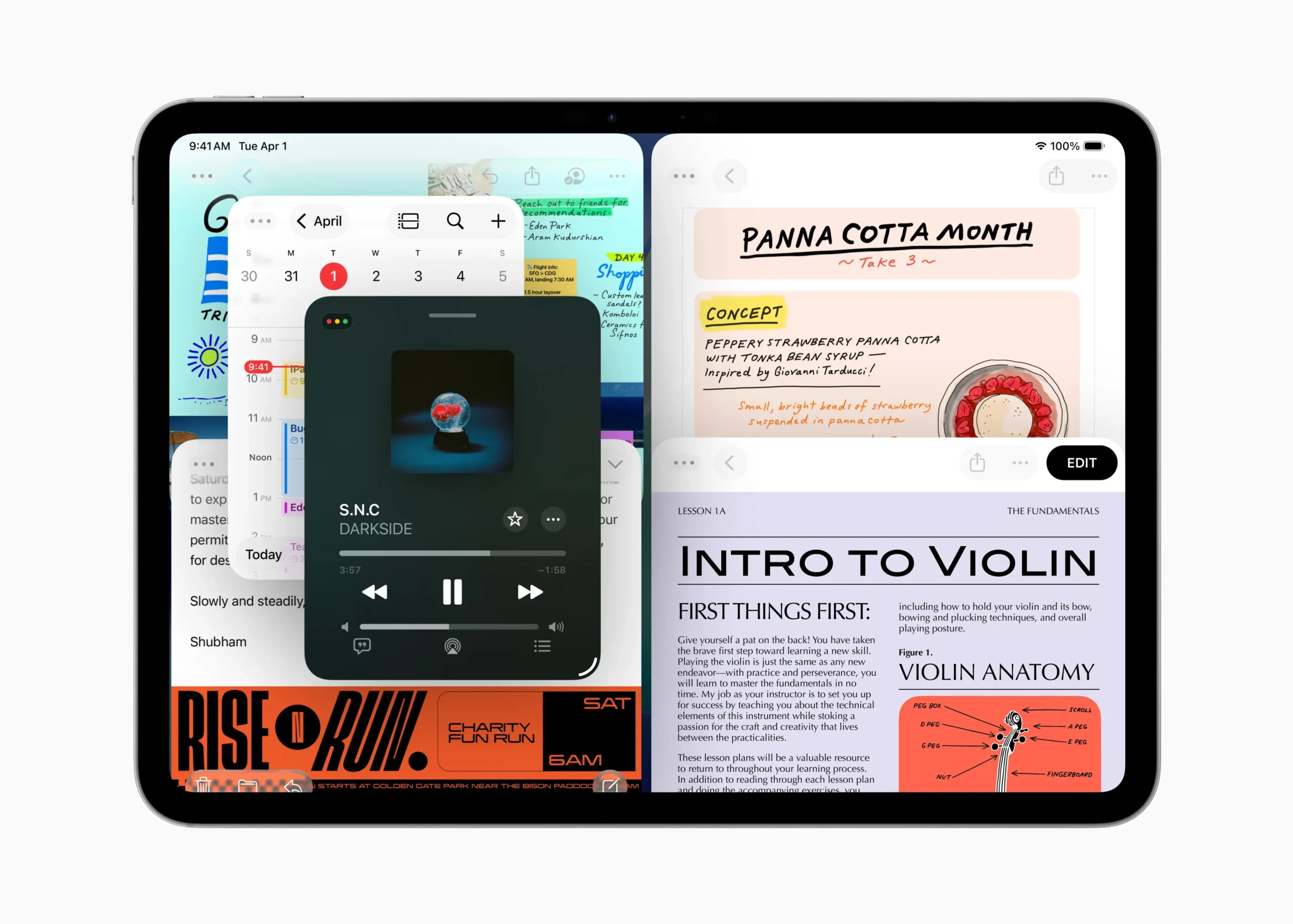
The iPad becomes a more capable device for productivity with iPadOS 26. A powerful new multitasking feature called Stage Manager is a highlight. It automatically organizes your open apps and windows into a single view. This makes it much easier to switch between different tasks. You can also create overlapping windows of different sizes, just like you can on a Mac.
In addition to this, iPadOS 26 adds full support for external displays. This means you can extend your workspace to a larger screen. Finally, popular apps that were missing from the iPad, like Weather and Clock, are now available.
macOS Tahoe 26
The Mac also gets the new Stage Manager feature. This helps you focus on the app you are using without distractions, because it keeps your other open windows arranged neatly on the side. Another major new feature is Continuity Camera. This lets you use your iPhone’s advanced camera system as a high-quality webcam for your Mac. It works wirelessly and connects automatically when your iPhone is nearby.
Safari also gets a major security upgrade with Passkeys. This is a next-generation sign-in method that is end-to-end encrypted. As a result, it is much safer than traditional passwords and protects you from phishing and website leaks.
visionOS 26 and tvOS 26
The updates for visionOS and tvOS focus on creating a more unified user experience. The most significant change for these platforms is the full adoption of the new Liquid Glass design language. This means that the look and feel of the interface on Apple Vision Pro and Apple TV now match the aesthetic of the iPhone, iPad, and Mac.
Consequently, this provides a more seamless and consistent visual experience when you move between different Apple devices. It makes the entire ecosystem feel more connected. The new design also improves navigation and makes content the center of attention on the bigger screen.
Powerful New Accessibility Features
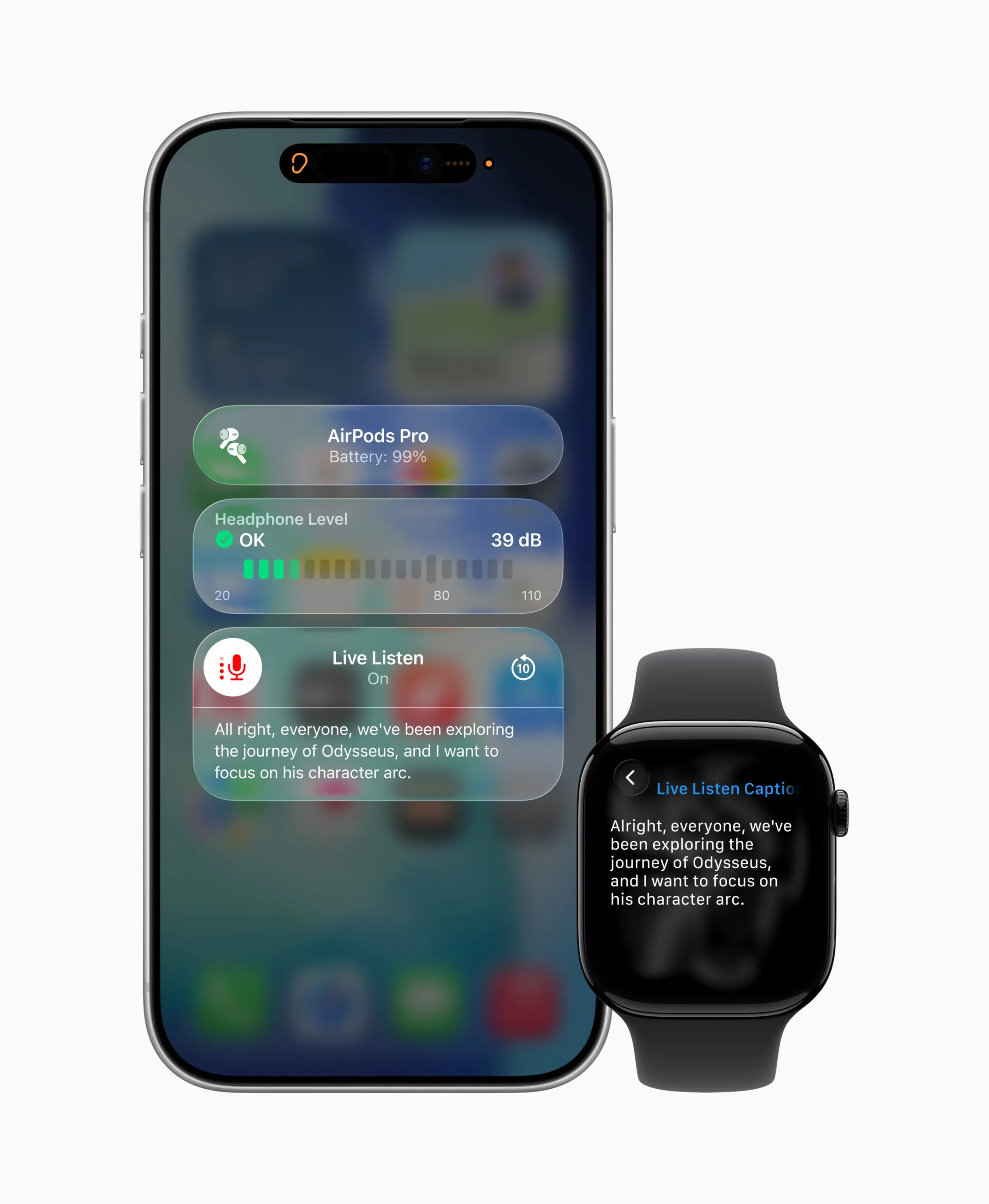
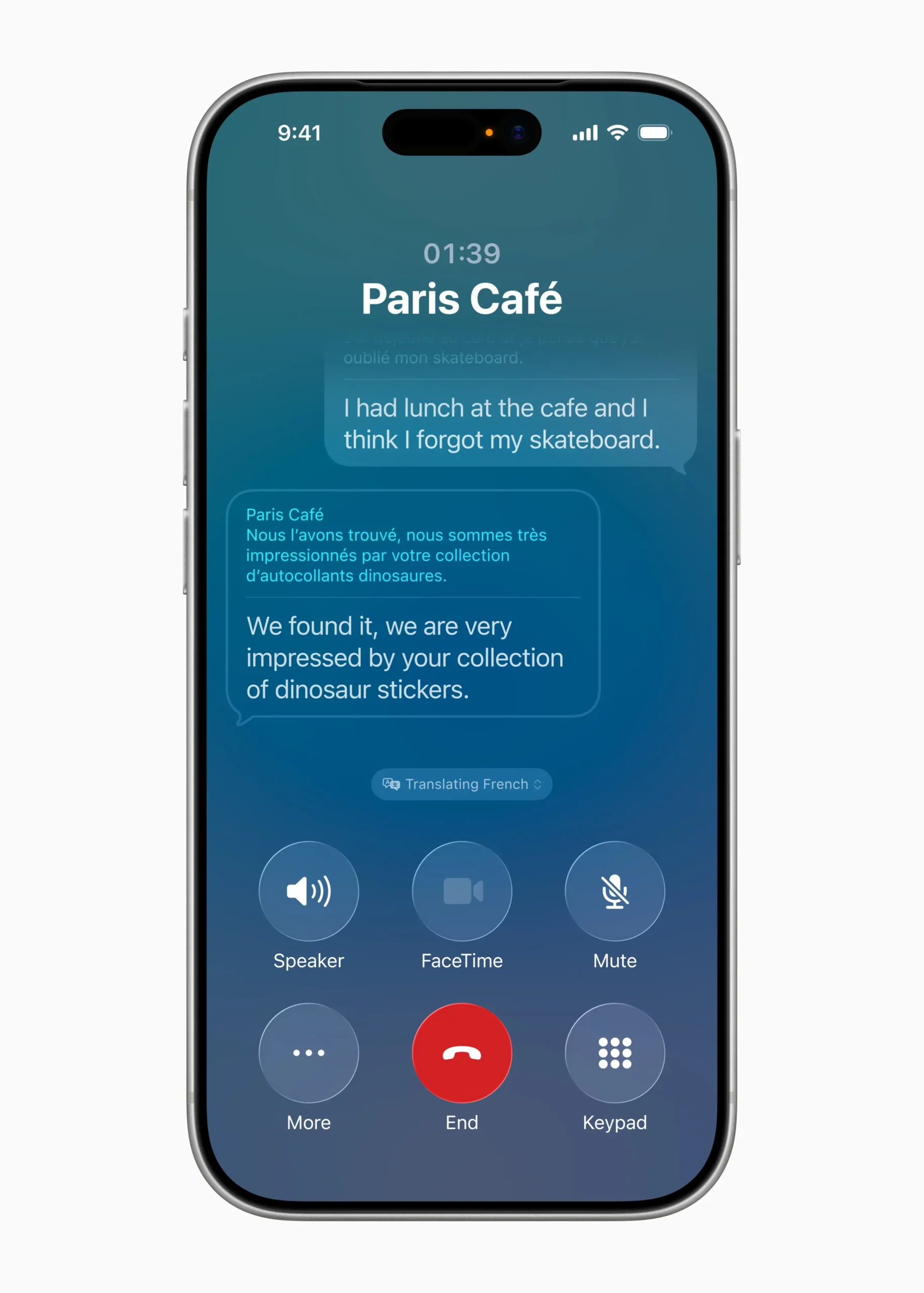
Apple is adding many new accessibility features. These updates use smart, on-device tech to help many users. The new tools improve communication, device control, and sensory features.
A big update comes to Personal Voice. This feature helps users who may lose their ability to speak. It is now faster and easier to use. It uses on-device AI to create a natural voice in under one minute. A user only needs to record 10 phrases. Personal Voice will also support Spanish.
Apple is also adding support for Brain Computer Interfaces (BCIs). This new tech works with Switch Control. It offers a new way for users with severe mobility issues to control their devices. For example, they can use an iPhone, iPad, or visionOS device with no physical movement.
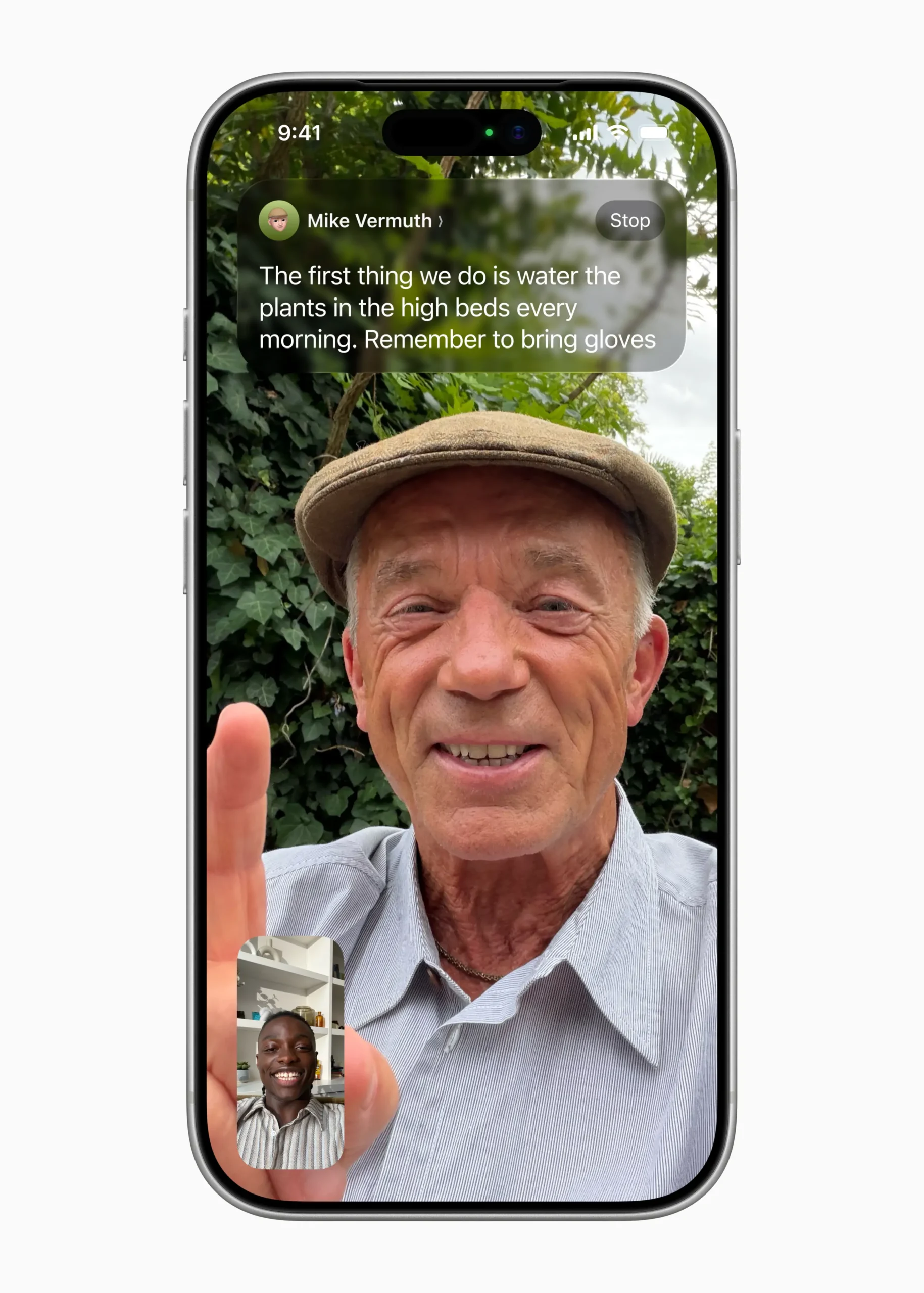
In addition, Apple is adding Head Tracking. This new feature lets users control an iPhone or iPad with head movements. It works in a way similar to Eye Tracking. A new Name Recognition feature is also coming to Sound Recognition. This will alert users who are deaf or hard of hearing when someone calls their name.
This year’s updates bring many other improvements as well. Eye Tracking and Switch Control get easier keyboard typing. Music Haptics and Background Sounds offer more ways to customise the experience. Voice Control adds a new mode for developers and more languages. CarPlay gets Large Text and better Sound Recognition. Lastly, a Share Accessibility Settings feature lets you share your settings with a friend’s device.
Privacy and Availability of the New OS 26 updates
Privacy remains a core principle in all of Apple’s new software. The company built new features like Apple Intelligence with privacy from the ground up. This ensures that your personal information stays safe and under your control.
Most of the processing for these new smart features happens right on your device. For more complex tasks that need more power, Apple uses a system called Private Cloud Compute. This is an important feature because it means your data is never stored or made accessible to Apple in the cloud. Your personal information always stays private.
Compatibility for the new software is broad:
- iOS 26 is now available for iPhone 11 and later models
- iPadOS 26 supports iPad mini 5th generation and later, iPad 8th generation and later, iPad Air 3rd generation and later, and all iPad Pro models
- macOS Tahoe is available for most Mac models from 2019 and later.
- watchOS 26 requires an iPhone 11 or later paired with an Apple Watch Series 6 or later.
The new OS 26 updates are available now as a free software update.
