
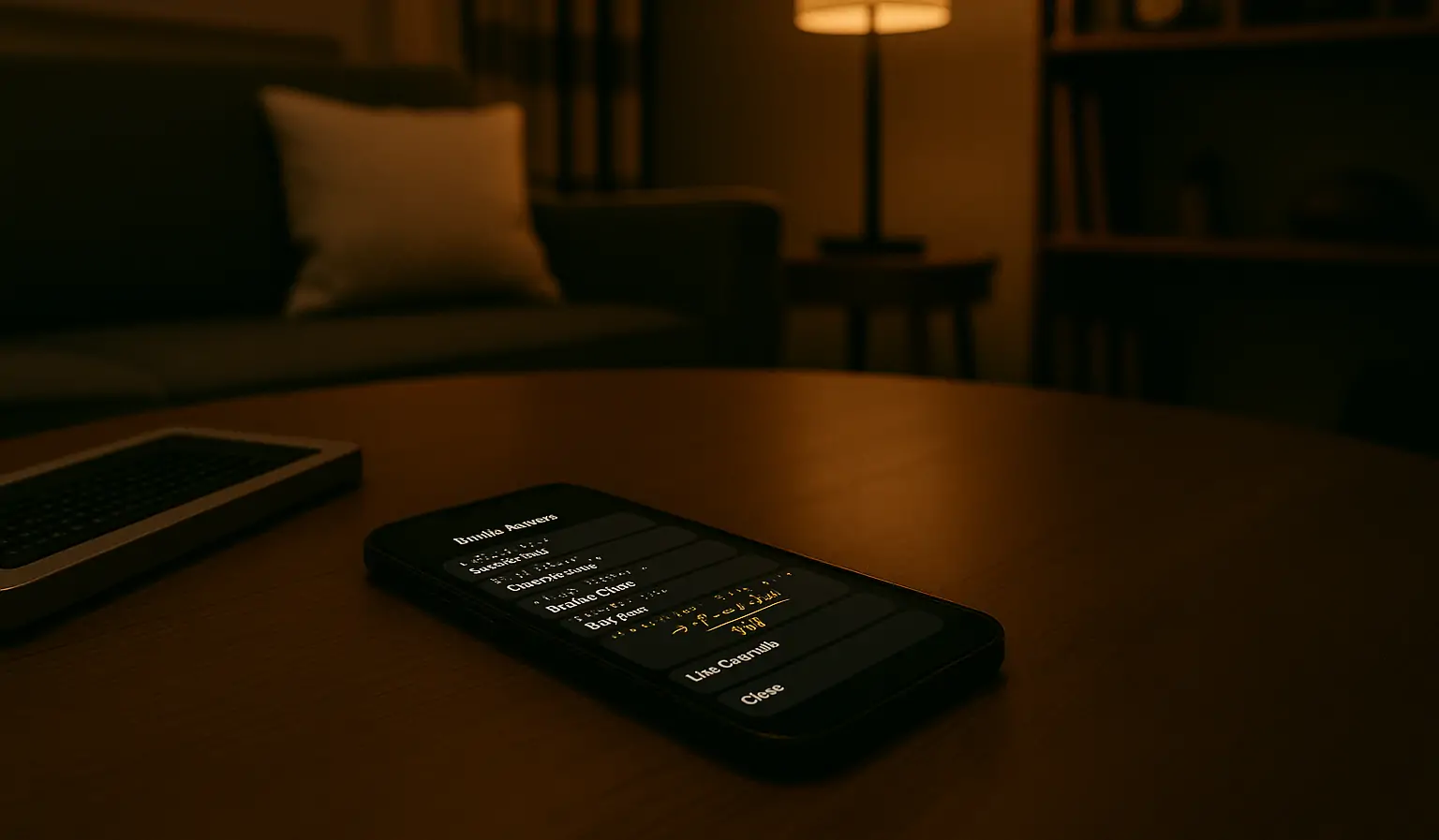
Apple has long been at the forefront of accessibility technology, but its latest innovation—Braille Access—sets a new benchmark for inclusive design. Built directly into every Apple device, Braille Access isn’t just a feature—it’s a complete, integrated experience that redefines how blind and low-vision users interact with their tech. Whether you’re browsing the web on a Mac, sending a message from your iPhone, or taking notes on an iPad, the same consistent, powerful braille interface is ready and waiting.
What makes Braille Access stand out is its ecosystem-wide availability and thoughtful integration. Instead of relying on add-on software or separate apps, Apple has embedded this functionality deep into the operating system level, enabling seamless control, reading, and writing in braille—out of the box. It supports a wide range of braille displays and input types, intelligently adapting to your preferences and workflows.
In this article, we’ll explore what Braille Access actually offers, how it works across Apple platforms, and why it represents such a major leap forward in accessible computing. You’ll also discover the impact it’s having on real users—empowering them to work, create, and connect with more freedom than ever. If accessibility is about removing barriers, Braille Access is a sledgehammer.
What Is Braille Access and Who Is It For?
Braille Access is Apple’s new cross-platform interface designed for users who rely on braille to navigate and control their devices. It’s not an app or a toggle — it’s a built-in experience that transforms any supported Apple device into a full-featured, tactile-first computing environment. To use Braille Access, users pair a compatible external braille display — like the Hable One Braille Keyboard — via Bluetooth or USB. Once connected, that device becomes the primary gateway for reading, writing, and exploring the digital world.
This systemwide feature supports both input and output through braille. It builds on VoiceOver, Apple’s industry-leading screen reader, but goes further: braille is no longer just a fallback or secondary option — it’s now treated as a first-class method of interaction. That signals a deeper shift in philosophy: accessibility isn’t a feature, it’s a foundation.
Crucially, Braille Access behaves consistently across all Apple platforms. Whether you’re using an iPhone, iPad, Mac, or Apple Vision Pro, the interface feels familiar, fast, and fluid. There’s no need to relearn workflows when switching devices, and preferences like braille tables or input modes stay synced across your entire setup.
This kind of seamless experience is especially meaningful for professionals, students, and creators who depend on multiple Apple devices every day. Whether composing a document, reviewing a webpage, or chatting with friends, Braille Access delivers continuity — and something even rarer in accessibility tools: elegance.
Braille Access Delivers One Experience Across Every Device and Display
Braille Access stands out because it works the same way everywhere — across iPhone, iPad, Mac, and Apple Vision Pro. Once a compatible braille display is paired, it instantly takes control. There’s no complicated setup, no waiting for software bridges to kick in. Just immediate, native access to apps, content, and system controls.
From the moment it’s connected, your braille display becomes the command center. You can launch apps, scroll through documents, browse the web, send messages, or manage settings — all through tactile input. Apple supports a broad range of displays, and features like cursor routing, word wrap, auto-scrolling, and multi-table braille support are all available right out of the box.
On macOS, traditional VoiceOver commands integrate directly with braille feedback, offering a responsive desktop experience. On iPad and iPhone, touch gestures complement braille input, making navigation fast and intuitive. Everything feels tailored, yet unified — no matter which screen or system you’re using.
Because Braille Access is part of the operating system itself, it syncs instantly. You can start a note on your iPad, finish it on your Mac, and reply to a message on your iPhone — without losing context or formatting. That’s the real power here: a consistent, accessible interface that travels with you.
Advanced Braille Features for Notes, Math, and Files
Braille Access is more than just a navigation tool — it’s a full productivity platform for braille users. Apple has designed it to go beyond reading and responding, enabling users to write, calculate, edit, and manage content using their braille displays. Whether working in education, business, or personal contexts, users can now complete complex tasks entirely through braille.
At the core of this system is support for braille note-taking. With a connected braille display, users can launch a note interface immediately — no extra apps or setup required. Typed input appears instantly in braille, and text navigation commands work exactly as expected. From jotting down thoughts to writing formal documents, Braille Access empowers users to write comfortably and with full control.
For students and professionals working in math, Braille Access supports Nemeth Braille, a widely-used code for mathematics and scientific notation. This means users can enter and review equations, perform calculations, and follow along with STEM material in a format that’s clear, logical, and structured. Math support is not tucked away in a separate tool — it’s present wherever input and output are possible.
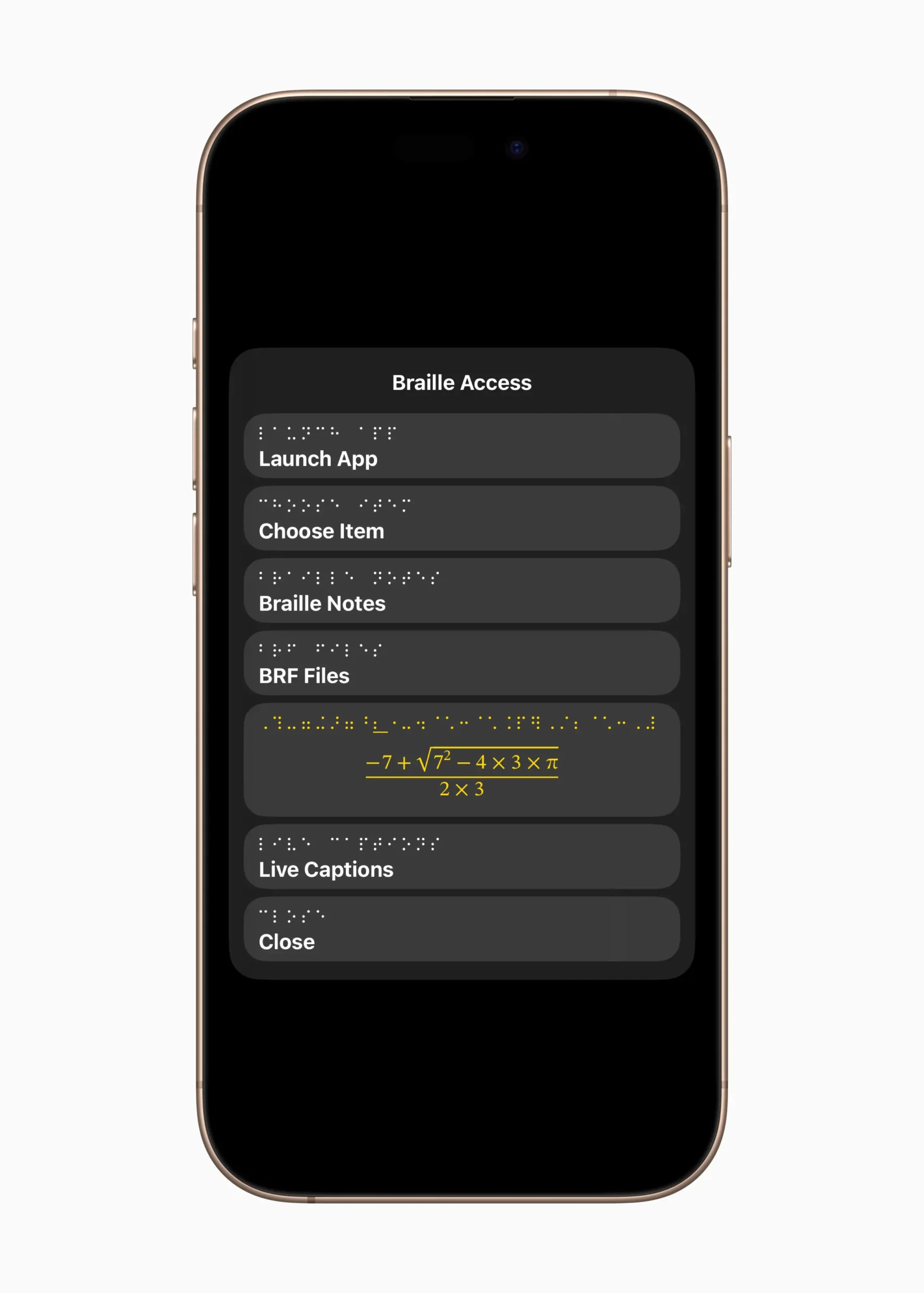
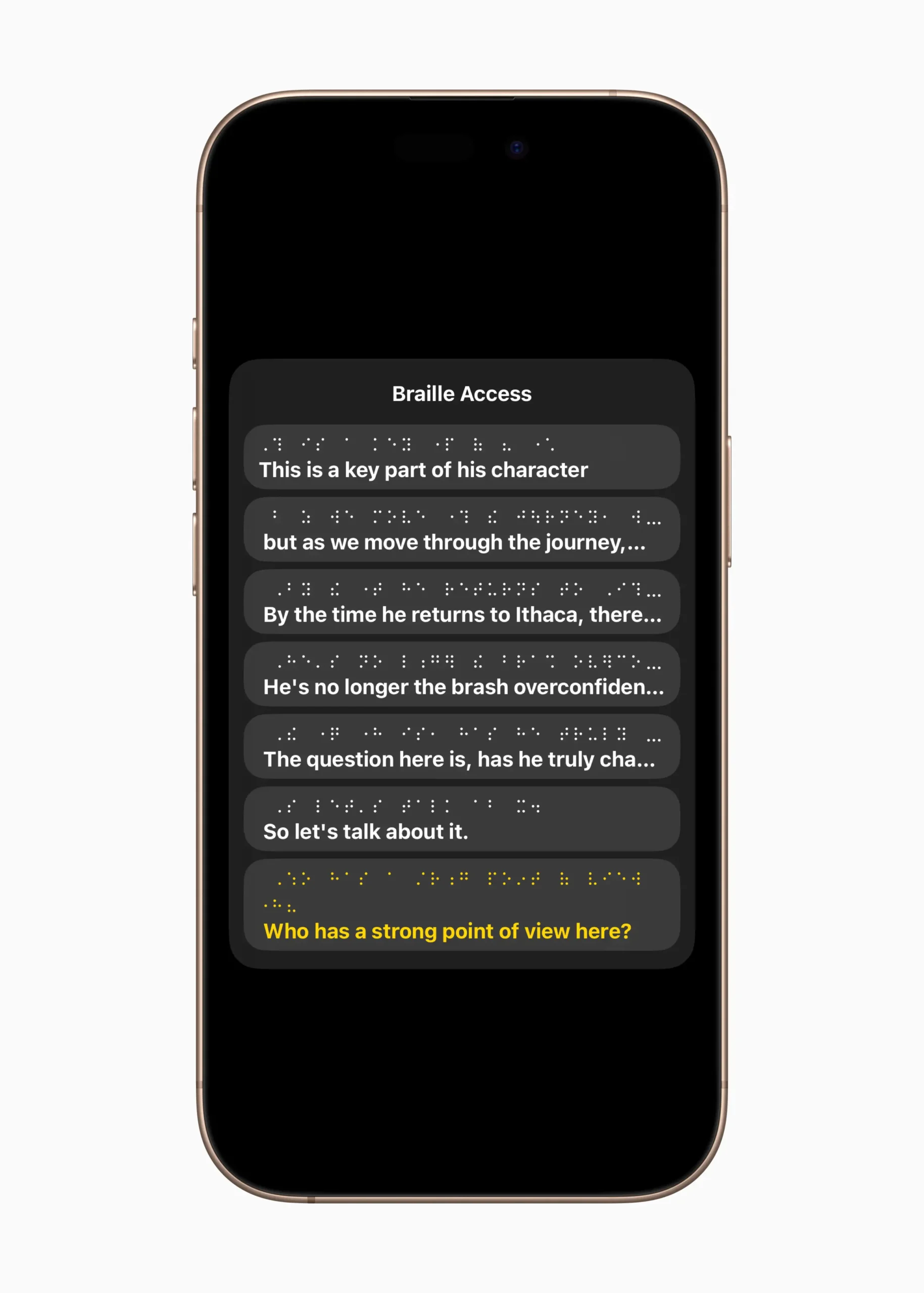
Apple has also built in support for BRF files (braille-ready files), a format widely used by braille users for accessing books, manuals, and other long-form content. With Braille Access, users can open BRF files directly, scroll through them line by line, and even edit or annotate them depending on the display. It’s another example of how Apple is treating braille as a first-class data format, not just a display method.
All of this works in tandem with the Files app and other productivity tools. Users can rename files, organize folders, and even trigger system actions — all from the braille display, without relying on sighted assistance or workarounds. This level of independence in basic file management is a key part of what makes Braille Access such a landmark feature.
Live Captions and Transcription on Braille Displays
One of the most powerful and unexpected aspects of Braille Access is how it bridges the gap between real-time audio and tactile feedback. By integrating braille displays with Apple’s systemwide Live Captions and Transcription features, Apple is opening new avenues of communication for users who are deafblind or have dual sensory loss.
Live Captions, first introduced as an accessibility feature for users with hearing challenges, now delivers real-time transcription to braille displays. Whether you’re in a FaceTime call, watching a video, or participating in a group conversation, spoken words are instantly converted into braille output — letting users follow along as if reading subtitles by touch. The display scrolls automatically or at the user’s preferred pace, allowing full comprehension without constant navigation.
For phone and video calls, the integration is even more impactful. With the Phone app now available on iPad and Mac, users can read incoming audio as live braille captions during calls. This means a deafblind person can have a spoken conversation — reading what the other person says on their braille display and responding via text or voice as needed. It’s a level of access that once required expensive, dedicated hardware, now built directly into the Apple experience.
Apple’s on-device speech recognition ensures that captions and transcriptions are handled privately and efficiently, with no reliance on cloud processing. This commitment to privacy is especially important for users engaging in sensitive conversations, whether at work, school, or home.
Beyond calls and media, Braille Access also supports automatic transcription of recorded conversations. Paired with the Voice Memos app or supported third-party recorders, users can later review entire conversations or lectures in braille. This is a game-changer for students and professionals who want to reference spoken content in a tactile format.
Seamless Control and System Navigation via Braille
With Braille Access, Apple has made it possible to control nearly every aspect of your device using only a braille display. From launching apps to adjusting settings and navigating complex menus, users can rely entirely on tactile input—no touchscreen, mouse, or visual cues required. The result is a workflow that’s not just accessible, but efficient, flexible, and empowering.
System navigation begins the moment a braille display is connected. With VoiceOver running, braille commands are mapped to familiar interface elements: the Home screen, app switcher, Control Center, Dock, and Notification Center can all be accessed through intuitive keystrokes. This allows users to launch apps, switch between tasks, and manage their environment with the same ease as sighted users using gestures or a mouse.
Once inside an app, Braille Access continues to shine. Tabbing through menus, reading contextual instructions, editing documents, and reviewing screen content are all fully accessible via braille. Interactive elements—like buttons, toggles, and pop-ups—are clearly labeled and can be activated directly from the display. The system provides real-time feedback through status cells and cursor routing, so users know exactly where they are and what’s happening at any given moment.
Crucially, Apple hasn’t compromised performance. The system is fast, responsive, and built to scale—from simple tasks like setting an alarm to more advanced workflows like managing files in iCloud Drive or organizing notes in a shared folder. Braille Access isn’t limited to a curated set of features—it opens the full system to tactile control.
Apple’s approach goes further than accessibility compliance. It recognizes that braille users deserve not only access, but agency. Whether navigating with a single-line braille display or using multi-line models, users are always in full command of their device.
Developer Support and API Integration for Braille Access
To ensure Braille Access reaches its full potential, Apple has extended its support beyond built-in apps and system features—opening the door for developers to integrate braille functionality directly into their own applications. With updated APIs and frameworks, Apple is making braille inclusion not only possible but straightforward for developers building for any Apple platform.
At the heart of this support is UIAccessibility, the long-standing Apple framework that allows apps to expose their interface elements to assistive technologies like VoiceOver. In iOS, iPadOS, macOS, and visionOS 26, Apple has refined this framework to better support braille-specific metadata, so custom controls and content can be properly interpreted and represented on braille displays.
For more advanced apps, developers can leverage NSAccessibility protocols on macOS and UIAccessibilityCustomRotor on mobile platforms to provide faster, context-aware navigation. This lets braille users quickly jump between document sections, form fields, or specific types of content—something especially useful in productivity, creative, or educational tools.
The PencilKit API, already used by developers to enable handwriting and drawing features, now supports the reed pen, a new input tool with stroke-angle presets designed for calligraphy and markup—fully compatible with Braille Access for those who use braille displays to annotate or interact with custom drawing apps.
Apple also encourages developers to test braille compatibility using the Accessibility Inspector in Xcode and through on-device testing with paired braille displays. With braille output available across the simulator and physical devices, testing and debugging tactile experiences is now more practical than ever.
By lowering the barrier to entry and providing clear guidelines, Apple is signaling that braille support should be a core expectation—not an afterthought. As more developers adopt these tools, the number of third-party apps offering full, native braille interaction will continue to grow—expanding the ecosystem of truly accessible experiences.
A New Era of Accessibility, One Line at a Time
Braille Access isn’t just a new feature — it’s a milestone. By making braille input and output a seamless part of the Apple ecosystem, the company has redefined what digital accessibility can and should look like. Instead of treating braille as a compatibility layer, Apple has embraced it as a native language of interaction — one that deserves the same care, performance, and attention to detail as any other user interface.
What sets Braille Access apart isn’t just technical polish, though that’s clearly there. It’s the philosophy behind it: accessibility as default, not optional. Apple didn’t launch a separate product or ask users to download something extra. This is built in, ready, and waiting — no matter the device, no matter the context. And because it’s cross-platform, the learning curve disappears; what works on one device will feel familiar on another.
For blind and deafblind users, this unlocks a level of independence that goes far beyond compliance. It means being able to take a call, read captions, write a document, and navigate the world — all with the same speed and confidence as anyone else. It means no more switching modes, no more guessing if your device will “work this time.” It just does.
Braille Access is a quiet revolution, delivered line by line, dot by dot. And for those who rely on braille every day, it’s more than a feature — it’s freedom, built-in.
